EasyManua.ls Logo

iHome iH15 - User Manual

iHome iH15
8 pages
Print Icon
To Next Page IconTo Next Page
Loading...
Model:iH15
InstructionManual
Date:Oct6,2008
Printcolor:Blacktextonwhitepaper
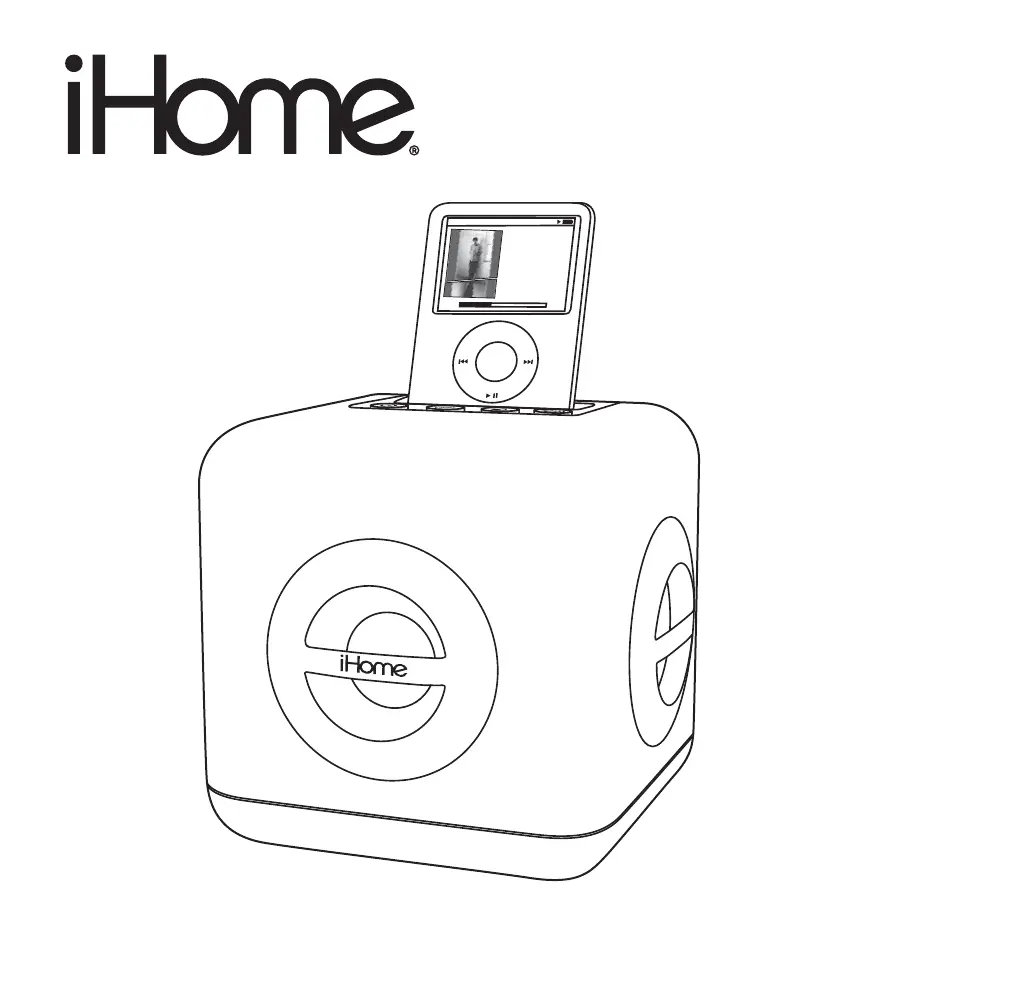
Model iH15
Color Changing
Stereo System
for Your iPod
Questions? Visit www.ihomeaudio.com
MEN
U
All I Wan
t To B
e
Ke
ith Lubrant
F
a
ce
In T
he Crowd
N
ow
P
l
a
yi
ng
1:03
1 of 14
-2:30

Other manuals for iHome iH15

Questions and Answers

  • C
    Chelsey SmithAug 15, 2025
    What to do if playing iPod but no sound on iHome Docking Station?
    • M
      Michelle ThompsonAug 15, 2025
      If you're playing your iPod on the iHome Docking Station but there's no sound, remove your iPod and check the connectors on both the dock and your iPod for any obstructions, then reseat it. Ensure your iPod is playing by pressing the play button. If you're using a 1st or 2nd generation iPod, iPod Shuffle, or another device, connect it with a Line-in. Also, make sure your iPod is working correctly before docking it to the unit, consulting your iPod manual for details if needed.
  • J
    Jessica MeadowsAug 18, 2025
    Why is the sound distorted on my iHome Docking Station?
    • B
      Brian JohnsonAug 18, 2025
      If the sound from your iHome Docking Station is distorted, first try decreasing the unit's volume. If the audio source, like an iPod, has poor quality, distortion and noise are more noticeable with high-power speakers. Try a different audio source, such as a music CD. If you're using an iPod Shuffle or an older iPod, reduce the output volume on the device itself and turn the bass boost OFF. If you are playing music from your iPhone, you may encounter TDMA noise. Set your iPhone to Airplane mode, but note that this will disable the phone until airplane mode is turned off.
  • E
    Eric GoodmanAug 21, 2025
    What to do if my iHome Docking Station doesn’t respond?
    • O
      Olivia SanchezAug 21, 2025
      If your iHome Docking Station isn't responding, start by checking the AC adapter. Ensure it's properly plugged into both a functioning wall outlet and the power supply jack on the back of the unit. To verify the wall outlet is working, plug another device into it.
  • K
    Kevin HernandezAug 25, 2025
    What to do if my iPod didn’t charge up on iHome Docking Station?
    • H
      Hunter MorrisAug 25, 2025
      If your iPod isn't charging on the iHome Docking Station, remove the iPod and inspect the connectors on both the dock and your iPod for any obstructions. Reseat the iPod in the dock. Also, ensure your iPod is working correctly before docking it; refer to your iPod manual for details, if needed. It may be locked up/frozen or the battery may have a problem.
  • C
    Christopher FitzpatrickAug 27, 2025
    How to dock iPod properly on iHome Docking Station?
    • D
      Devin LoveAug 27, 2025
      If your iPod cannot dock properly with your iHome Docking Station, first ensure that you are using the correct dock insert for your specific iPod model. If the issue persists, remove your iPod and check both the dock and your iPod connectors for any obstructions. After checking, reseat the iPod in the dock.
  • C
    Corey MercerAug 30, 2025
    What to do if my iHome Stereo System doesn't turn on?
    • N
      Nina JonesAug 30, 2025
      First, ensure the AC adapter is correctly plugged into both a functioning wall outlet and the power supply jack on the back of the unit. If the outlet isn't working, try plugging another device into it to confirm.
  • J
    Jeffrey MyersSep 2, 2025
    Why is the sound distorted on my iHome Stereo System?
    • M
      Michael WilsonSep 2, 2025
      Distorted sound can occur if the volume level is too high; try decreasing it. Also, the sound source may be of poor quality. If using an iPod or similar device, try reducing its output volume and turning off bass boost. If you are playing from your iPhone, set your iPhone to Airplane mode.
  • B
    Barbara VegaSep 5, 2025
    Why isn't my iPod charging on my iHome iH15?
    • J
      Jeffrey WoodSep 6, 2025
      Make sure your iPod is properly docked by removing it and checking for obstructions on the connectors, then reseating it. Also ensure your iPod is working correctly before docking.
  • A
    Angela GibsonSep 8, 2025
    How to fix no sound when playing iPod on iHome Stereo System?
    • S
      Shannon WilsonSep 9, 2025
      First, remove your iPod and check for any obstructions on the connectors, then reseat it in the dock. Try pressing the play button on your iPod manually. Also, ensure your iPod is working properly and connect it with Line-in if needed.
  • A
    amber10Sep 12, 2025
    How to dock iPod properly on iHome Stereo System?
    • T
      Teresa MichaelSep 12, 2025
      Ensure you are using the correct dock insert for your iPod. If it still doesn't dock properly, remove your iPod and check for any obstructions on the connectors, then reseat it in the dock.

Summary

Getting Started

Install iPod Insert

Instructions for selecting and placing the correct dock insert for iPod compatibility.

Install Power

Guidance on connecting the AC adapter cable to the unit and a power outlet.

iH15 Quick Start

Maintenance

Controls and Indicators

Top Panel Controls

Details of buttons and the iPod dock located on the top surface of the unit.

Back Panel Connections

Description of ports on the rear of the unit, including Line-in Jack.

Playing and Charging your iPod

Color Change Mode

Using the Line-in Jack

IMPORTANT SAFETY INSTRUCTIONS

Trouble Shooting

Limited 90-Day Warranty Information

Warranty Disclaimer

Details limitations and exclusions on the product's warranty coverage.

iHome iH15 Specifications

General IconGeneral
Product colorWhite
Compatible productsApple iPod

Related product manuals