EasyManua.ls Logo

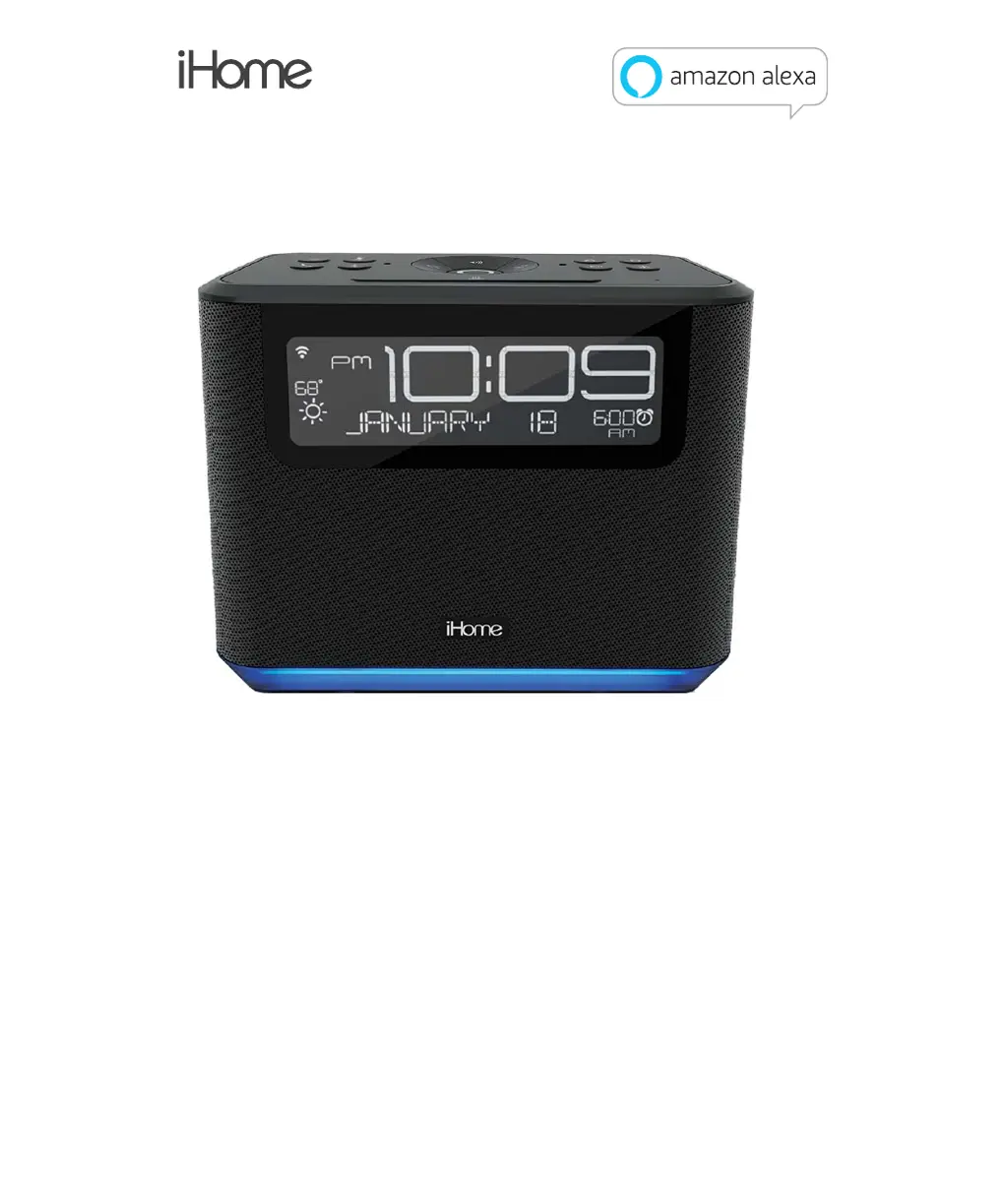
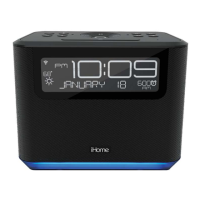
iHome iAVS16 - User Manual

iHome iAVS16
16 pages
Print Icon
To Next Page IconTo Next Page
Loading...
Cover
Warranty
Model iAVS16
Bluetooth Bedside/Home Oce Stereo Speaker
System with Far Field Voice
QUESTIONS? visit www.ihome.com
Contact Us: 1800 288 2792

Other manuals for iHome iAVS16

Questions and Answers

  • D
    Dr. Ronald Butler MDJul 28, 2025
    What to do if iHome Speakers device does not respond?
    • J
      Jeremiah RamirezJul 29, 2025
      If your iHome Speakers aren't responding or playing sound, first ensure the unit is powered ON. Then, adjust the volume on both the unit and your audio device. Try pressing the Play/Pause button. Also, verify that your iHome iAVS16 is properly paired in your device's Bluetooth menu.
  • J
    Jason LangAug 3, 2025
    How to fix iHome iAVS16 that won’t turn on?
    • A
      Angela Berry DVMAug 3, 2025
      If your iHome Speakers unit won’t turn on, ensure the AC adapter is plugged into a working wall socket and properly connected to the DC jack on the unit. Also, check that any wall switch controlling the outlet is turned ON.
  • T
    thompsondavidAug 10, 2025
    Why is there no sound from my iHome iAVS16 or the sound is distorted?
    • L
      longmarioAug 10, 2025
      If there's no sound or the sound is distorted on your iHome Speakers, try these steps: * First, adjust the volume on both the unit and your device. * If the sound source is distorted, the original sound file (like an MP3) may be old or of poor quality. Consider upgrading the file from a trusted source like iTunes.
  • K
    Kimberly HatfieldAug 16, 2025
    What to do if iHome iAVS16 have erratic performance?
    • T
      Tiffany MyersAug 16, 2025
      If your iHome Speakers are performing erratically, move the unit away from potential sources of external interference, such as computers, modems, wireless devices (routers), or fluorescent lights.
  • M
    Michael SchultzAug 21, 2025
    Why doesn’t the clock display match the app info on my iHome Speakers?
    • H
      Heidi WilliamsAug 21, 2025
      If the clock display on your iHome Speakers doesn’t match the app info, ensure that your time zone is set correctly in both the Alexa app and the iHome AVS app.

Summary

Getting Started

Package Contents and Requirements

Lists included items and necessary prerequisites for setup and operation.

Device Controls

Button Functions Overview

Explains the purpose and operation of each button on the device.

Connectivity and Display

Connecting the Unit

Details on using the DC Jack and USB Port for power and charging.

Understanding Display Icons

Explains the various symbols shown on the device's display.

Setup Process

Standard Setup

Step-by-step guide to connect the speaker via the iHome AVS app.

Alternate Setup Method

Alternative procedure if the standard setup fails, involving device Wi-Fi settings.

Bluetooth Mode Features

Pairing and Audio Playback

Connect your device via Bluetooth and stream audio.

Speakerphone and Light Modes

Using the speakerphone and controlling device lighting modes.

Alarm and Sleep Functions

Alexa Alarm Setup

How to set and adjust Alexa Tone and Music Alarms.

AVS Alarm Configuration

Setting custom tone or music alarms via the iHome AVS app.

Alarm Volume and Sleep Timer

Adjusting alarm volume and setting sleep timer preferences.

Alexa Light Bar Indicators

Visual Cues Explained

Interpreting the light bar's colors and patterns for Alexa states.

Smart Button Customization

Configuring Presets

Learn how to assign custom functions to Smart Buttons via the app.

Maintenance and Updates

General Maintenance

Guidelines for cleaning and placing the unit safely.

Firmware Updates

Process and precautions for installing over-the-air firmware updates.

Troubleshooting Guide

Common Issues and Solutions

Addresses common problems like unit not turning on or sound distortion.

Regulatory Information

FCC Compliance

Statements regarding FCC rules, exposure limits, and interference.

Canada Compliance

Industry Canada statements on RSSs and RF exposure.

Important Safety Information

Safety Precautions

Essential guidelines to prevent hazards like water damage, overheating, or electrical shock.

Warranty Details

Limited 1 Year Warranty

Information on product warranty coverage, exclusions, and claims process.

iHome iAVS16 Specifications

General IconGeneral
TypeSmart Speaker
BrandiHome
ModeliAVS16
CategorySpeakers
Voice AssistantAmazon Alexa
ConnectivityBluetooth, Wi-Fi
Power SourceAC Adapter
MicrophoneYes
SpeakerphoneYes
USB ChargingYes
ColorBlack
DisplayLED Display

Related product manuals