EasyManua.ls Logo

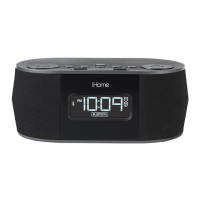
iHome iBT28 - User Manual

iHome iBT28
14 pages
Print Icon
To Next Page IconTo Next Page
Loading...
Page 1
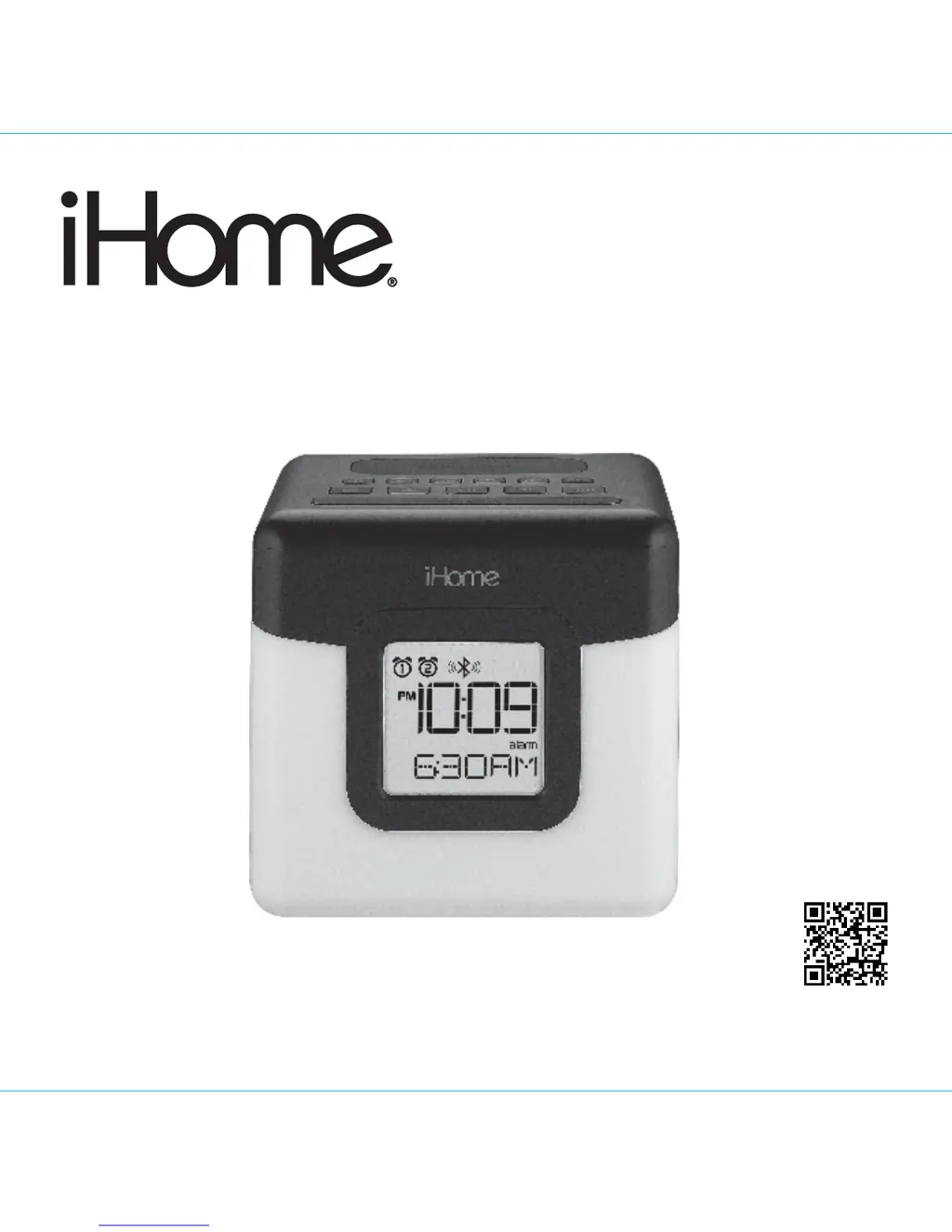
Model: iBT28
Instruction Manual (English)
Print color : Black text on white paper
Size of manual: 178mmW x 178mmH
Date: May 15, 2014-r1
Model: iBT28
Model: iBT28N
for Canada
LED Color Changing
Dual Alarm Clock Radio with
USB Charging
Questions? Contact Customer Service at 1-800-288-2792
download QR code
reader app and scan

Questions and Answers

  • A
    Alexander WhiteJul 27, 2025
    What to do if my iHome iBT28 Clock Radio doesn't respond or have power?
    • B
      Brittany ToddJul 27, 2025
      First, ensure the AC adapter is properly connected to a working wall outlet and to the power supply jack on the back of the iHome Clock Radio. If it still doesn't work, plug another device into the same outlet to confirm the outlet is functioning correctly.
  • B
    benjaminreevesAug 1, 2025
    What to do if the LED color lighting effect is missing or not working on my iHome iBT28 Clock Radio?
    • S
      Steven LewisAug 1, 2025
      First, press the Color Button to cycle through the available LED color modes. If that doesn't work, press the Snooze/Dimmer Button to cycle through different brightness modes. Also, ensure the AC adapter is properly connected to a working wall outlet and to the power supply jack on the iHome Clock Radio, as the unit may be running on backup battery.
  • M
    Mary AllenAug 7, 2025
    Why is there no sound when playing music on my iHome iBT28 Clock Radio?
    • M
      Martha Fox MDAug 7, 2025
      Check that your device is paired properly. If connecting an Aux device, ensure the audio cable is fully inserted. Press the play button on your device. Also, remove your device from the audio cable and check for obstructions on the connectors and your device. Adjust the volume settings on both your device and the iHome Clock Radio.
  • E
    Emily DavisAug 13, 2025
    Why is my device not charging on my iHome iBT28 Clock Radio?
    • T
      tellisAug 13, 2025
      Ensure all connections are secure, verifying that the AC adapter is correctly connected to both the iHome Clock Radio and the wall outlet. Also, check that the USB cable is the correct type for your device and properly connected. If the issue persists, ensure your device is working correctly before connecting it to the unit. If your device requires a proprietary charging setup, use the charger that came with the device.
  • B
    brittneycookAug 19, 2025
    How to fix distorted sound on iHome Clock Radio?
    • J
      Jonathan FigueroaSep 12, 2025
      Try decreasing the volume on your iHome Clock Radio. If the original sound source file is of poor quality, distortion may occur; try a file from a trusted source. Reducing the output volume on the device itself may also help. Additionally, try turning bass boost OFF under settings.

Summary

FCC Information

FCC Radiation Exposure Statement

Compliance with FCC RF radiation exposure limits for uncontrolled environments.

IC Statement

Compliance with Industry Canada license-exempt RSS standards and RF exposure.

Controls and Indicators

Top Panel Controls

Overview of buttons and indicators on the top panel of the iHome iBT28 unit.

Back Panel Ports

Description of the input/output ports located on the back of the unit.

iBT28 Quick Start

Powering the Unit

Steps to connect the AC adapter and prepare the device for first use.

Bluetooth Pairing

Instructions for pairing a Bluetooth device with the iHome iBT28.

Setting the Time

Procedure for setting the current time on the iBT28 alarm clock.

Color Change Mode

How to cycle through and select LED color settings on the unit.

Display Indicators

Using Bluetooth

Pairing Bluetooth Devices

Steps to pair Bluetooth devices with the iHome iBT28.

Playing Bluetooth Audio

How to stream audio from your paired Bluetooth device.

Remote Power Via Bluetooth

Using a paired device to remotely control the unit.

Setting the Time

Setting 12 or 24 Hour Time Display

Toggle between 12-hour and 24-hour time display formats.

Setting the Alarms

Operating the Alarm

Listening to FM Radio

Setting up the Antenna

Guidance on extending the FM wire antenna for optimal reception.

Tuning and Playing the Radio

Instructions for selecting stations and playing FM radio.

Using the Unit in Other Countries

Playing your Aux-in Audio Device

Charging a Device with the USB Port

Color Change Mode

Dimmer Mode

Bedtime Sleep Mode

Auto Shut-off

Installing;Replacing the Clock Backup Battery

A Consumer Guide to Product Safety

Trouble Shooting

Limited 1 Year Warranty Information

iHome iBT28 Specifications

General IconGeneral
Radio typeClock
Tuner typeDigital
PLL synthesizer-
Supported radio bandsFM
Preset stations quantity6
RMS rated power- W
Product colorBlack, Blue
Input voltage100-240 V
Apple docking compatibilityNot supported
Weight and Dimensions IconWeight and Dimensions
Width120.14 mm
Height146.04 mm
Weight621.4 g

Related product manuals