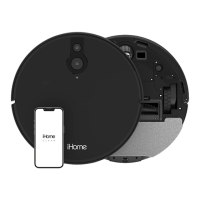
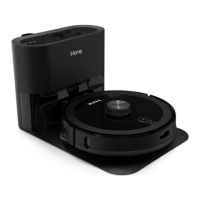
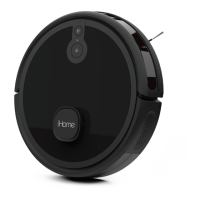
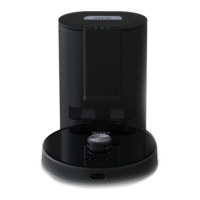
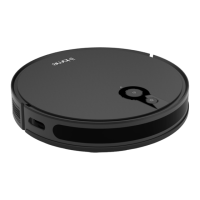
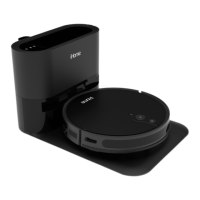
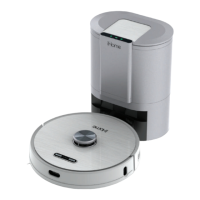
The iHome AutoVac Halo (Model iHRV7) is a robotic vacuum cleaner designed for automated cleaning and hands-free maintenance. It features advanced laser navigation technology and multiple sensors to create a virtual map of your home, allowing it to avoid obstructions and cliffs. The device is equipped with a 2-in-1 Dustbin/Mop tank, enabling both vacuuming and mopping functionalities.
Function Description:
The AutoVac Halo is designed to intelligently clean your home by vacuuming and mopping. It uses advanced laser mapping to create a navigational map, which is updated with each clean cycle to account for changes in furniture or other obstructions. Once cleaning is finished or the battery is low, the Halo automatically returns to its Auto Empty Base to charge and empty its dustbin. The device can be controlled via a physical remote control or through the iHome Clean App, which offers advanced features like setting virtual boundaries, viewing cleaning history, and creating cleaning schedules.
Important Technical Specifications:
- Model: iHRV7
- Cleaning Modes: Auto Clean, Area Clean, Spot Clean, Powermop, Manual Control.
- Dustbin/Mop Tank: 2-in-1 design for both dry vacuuming and wet mopping.
- Navigation: Advanced laser navigation and multiple sensors for obstacle avoidance and cliff detection.
- Connectivity: Wi-Fi enabled for app control (supports 2.4G Wi-Fi network).
- Power: Rechargeable battery, automatically returns to base for charging.
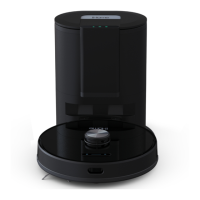
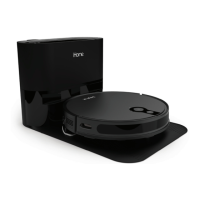
- Auto Empty Base: Automatically empties the robot's dustbin and charges the device.
- Remote Control Range: 10-20 feet.
Usage Features:
- Automated Cleaning: The AutoVac Halo can be set to clean automatically, following a mapped route.
- App Control (iHome Clean App):
- Virtual Mapping: Creates and updates a virtual map of your home.
- Obstacle Avoidance: Uses sensors to navigate around furniture and other objects.
- Cliff Detection: Prevents the robot from falling down stairs or ledges.
- Cleaning Schedules: Allows users to set specific times for cleaning.
- Virtual Boundaries: Define areas where the robot should not go.
- Cleaning History: Tracks past cleaning sessions.
- Suction Power Adjustment: Control the suction level (Decrease Suction Power, Hyperdrive Mode).
- Volume Control: Adjust voice prompt volume (can be muted via remote).
- Remote Control:
- Home Button: Returns the robot to the Auto Empty Base.
- Manual Navigation: Directional keys for manual control.
- Start/Pause Button: Initiates or pauses cleaning.
- Powermop: Activates mopping function.
- Spot Cleaning: Focuses cleaning on a specific area.
- Mute: Silences voice prompts.
- Increase/Decrease Suction Power: Adjusts vacuum strength.
- Hyperdrive Mode: Provides maximum suction power.
- Auto Empty Base:
- Automatic Dustbin Emptying: The base automatically suctions debris from the robot's dustbin into a disposable dust bag.
- Automatic Charging: The robot docks with the base to recharge its battery.
- LED Display Panel: Shows status indicators for dust bag, fan, and charging.
- Placement: Requires a flat, hard surface at least 2.5 inches from the wall, with clear space in front and on both sides for docking.
- 2-in-1 Dustbin/Mop Tank:
- Easy Installation: Mop pad attaches via Velcro strips.
- Water Fill Cap: For easy refilling of the water tank for mopping.
- Dust Collection Port: For emptying collected debris.
Maintenance Features:
- Main Brush Maintenance:
- Frequency: Once a month (replacement once a year).
- Procedure: Pinch the left and right tabs on the main brush cover, lift and remove. Clean the main brush and cover with the included cleaning tool. Replace the brush and snap the cover back into place.
- Replacement: Recommended every 6-12 months.
- Side Brush Maintenance:
- Frequency: Once a month (replacement every 3 months).
- Procedure: Unscrew the side brush screw with a Philips screwdriver, remove the brush, clean dirt and debris, and reinstall.
- Replacement: Recommended every 3-6 months.
- Dustbin/Water Tank Maintenance:
- Emptying: Press the dust bin release button and empty contents.
- Filter Cleaning: Remove the primary filter and HEPA filter. Wipe down the surface with a dry cloth or cleaning tool. Rinse the primary filter with water and let dry.
- Mop Pad Cleaning: Remove the mop pad and wash (machine washable).
- Auto Empty Base Maintenance:
- Dust Bag Replacement: Replace the dust bag when full (indicated by a green LED on the display panel). Extend the dust bag handle to seal the debris hole before discarding.
- Filter Maintenance:
- Frequency: Every 2 weeks (replacement every 3 months).
- Procedure: Unplug the Auto Empty Base. Use a Philips screwdriver to remove the screws as shown in the figure. Open the dust duct cover to clean out any dirt and debris. Open the exhaust at the rear of the Auto Empty Base, clean the filter, and reinstall.
- Troubleshooting: The manual provides a comprehensive troubleshooting guide for common issues such as inability to power on, start cleaning, return to base, abnormal behavior, noise, decreased cleaning ability, Wi-Fi connectivity problems, and charging issues.
- LED Indicators: The AutoVac Halo and Auto Empty Base have LED indicators to communicate status, network configuration, battery level, error states, and dust bag status, aiding in maintenance and troubleshooting.

 Need help?
 General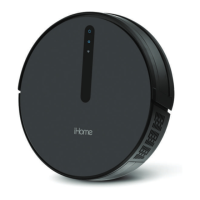


 To Next Page