18
USING THE BUDII
™
SETUP WIZARD
Before setting up your broadband Internet connection, you’ll need to know whether you’re using
ADSL or FTTH/NBN (Fibre to the Home/National Broadband Network).
To set up Internet access with ADSL
4
:
1. Enter your ADSL username and password.
2. Budii
™
knows its own IP address - this is filled out
automatically and can’t be changed, so skip over
this setting.
3. Click Save Settings.
To set up Internet access with FTTH
5
/NBN
6
:
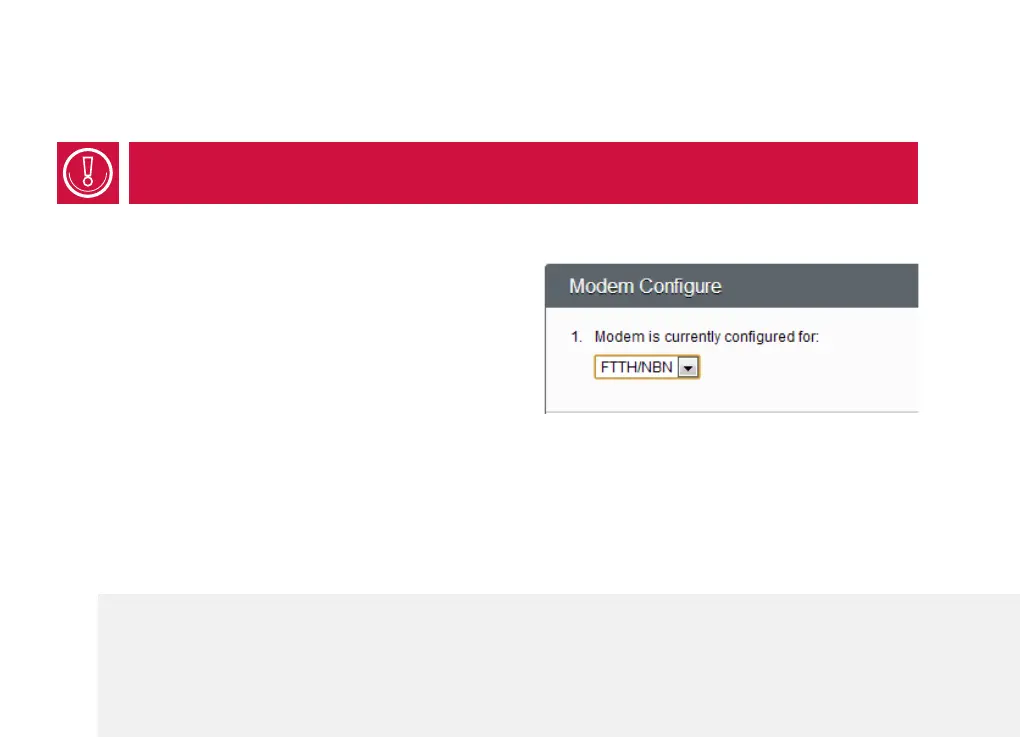
1. At Modem is currently configured for, select
FTTH/NBN from the dropdown box.
2. Scroll back up to Configure Port and choose the
LAN
7
port you’ve connected to your FTTH box.
3. Leave the Connection mode as Dynamic.
4
ADSL stands for Asynchronous Digital Subscriber Line. It is a popular broadband Internet service provided over your telephone line.
5
FTTH stands for Fibre to the Home. It’s a broadband service that works by running optical fibre right up to your house.
6
NBN is Australia’s planned National Broadband Network. Its aim is to gradually replace services that run over the phone system (such as
ADSL) with optical fibre and satellite Internet services.
7
A LAN (Local Area Network) is a private network, usually set up to connect the computers in a single home or office. For our purposes, your
LAN is your home network.



 To Next Page