ENGLISH
8 BEFORE YOU OPERATE THE MONITOR
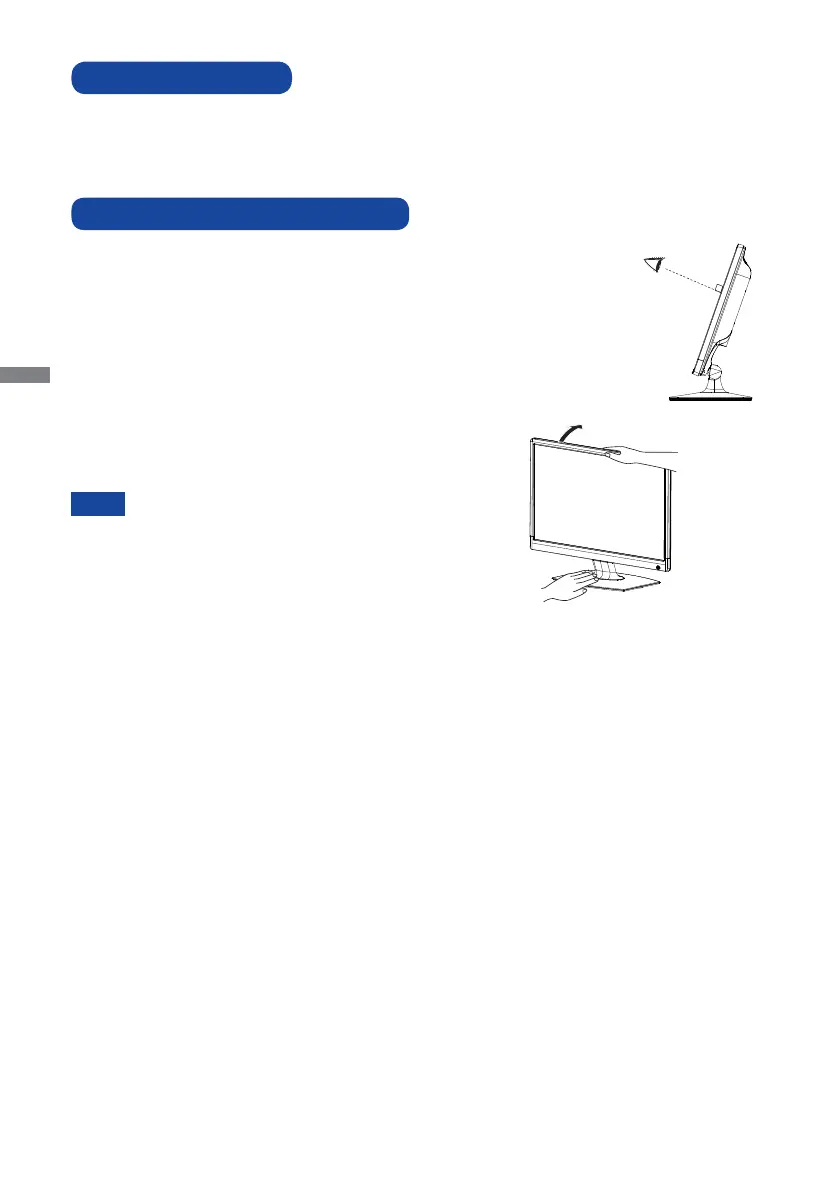
For optimal viewing it is recommended to look at the full face
of the monitor.
Hold the stand so that the monitor does not topple when you
change the monitor’s angle.
You are able to adjust the monitor’s angle up to 20° upward.
In order to ensure a healthy and relaxed body position
when using the monitor at visual display workstations, it
is recommended that the adjusted tilt angle should not
exceed 10 degrees. Adjust the monitor’s angle to your own
preference.
NOTE
Signal Timing
Change to the desired signal timing listed on page 24: COMPLIANT TIMING.
COMPUTER SETTING
Do not touch the LCD screen when you change
the angle. It may cause damage or break the LCD
screen.
Careful attention is required not to catch your
fi ngers or hands when you change the angle.
ADJUSTING THE VIEWING ANGLE
20°







 To Next Page