ENGLISH
OPERATING THE MONITOR 19
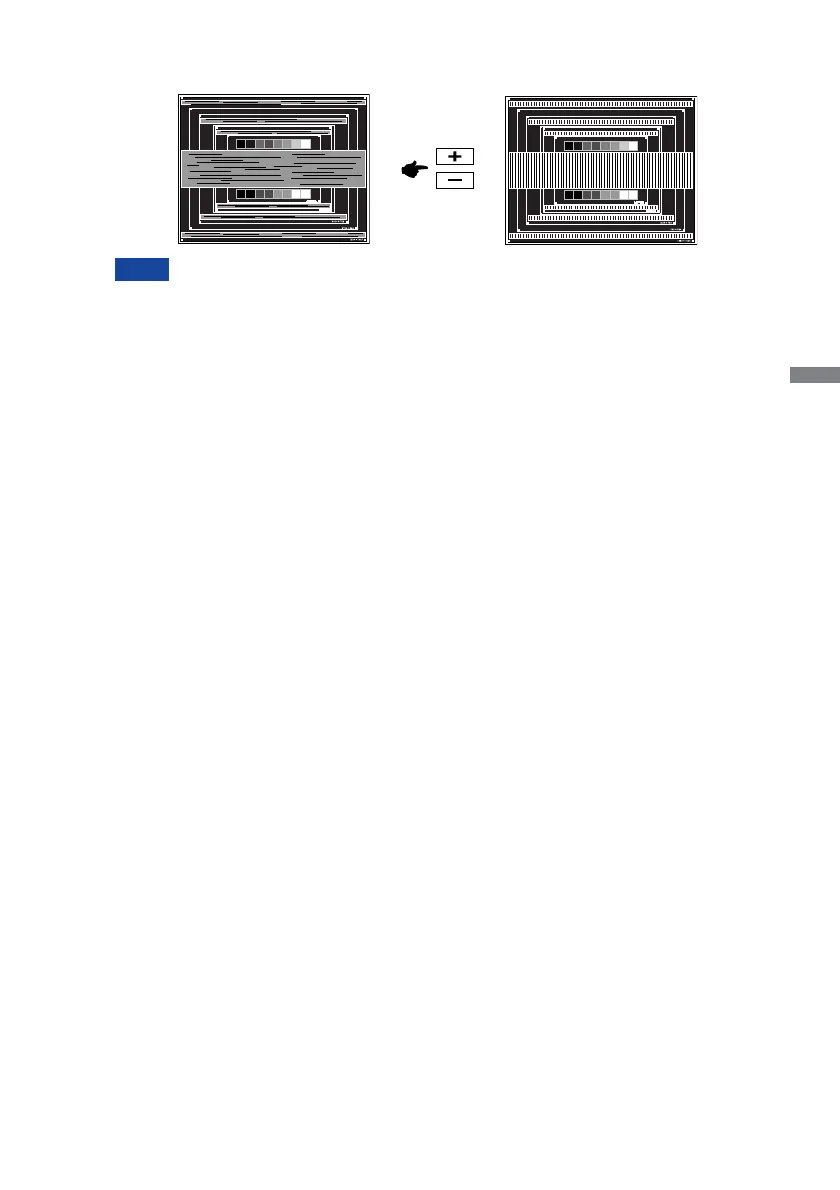
In case the strong fl icker or blurs remain on a part of the screen, repeat steps
F
and
G
because the Clock may not be adjusted correctly. If the fl icker or blurs still remain,
set the refresh rate of computer to low (60Hz) and repeat steps from
C
again.
Adjust the H.Position after the Phase adjustment if the horizontal position moves
during the adjustment.
G
Adjust the Phase to correct horizontal wavy noise, fl icker or blur in the zebra pattern.
NOTE
H
Adjust the Brightness and Color to get the desired picture after you complete the Clock
and Phase adjustments.
Put back your favorite wallpaper.







 To Next Page