English
9
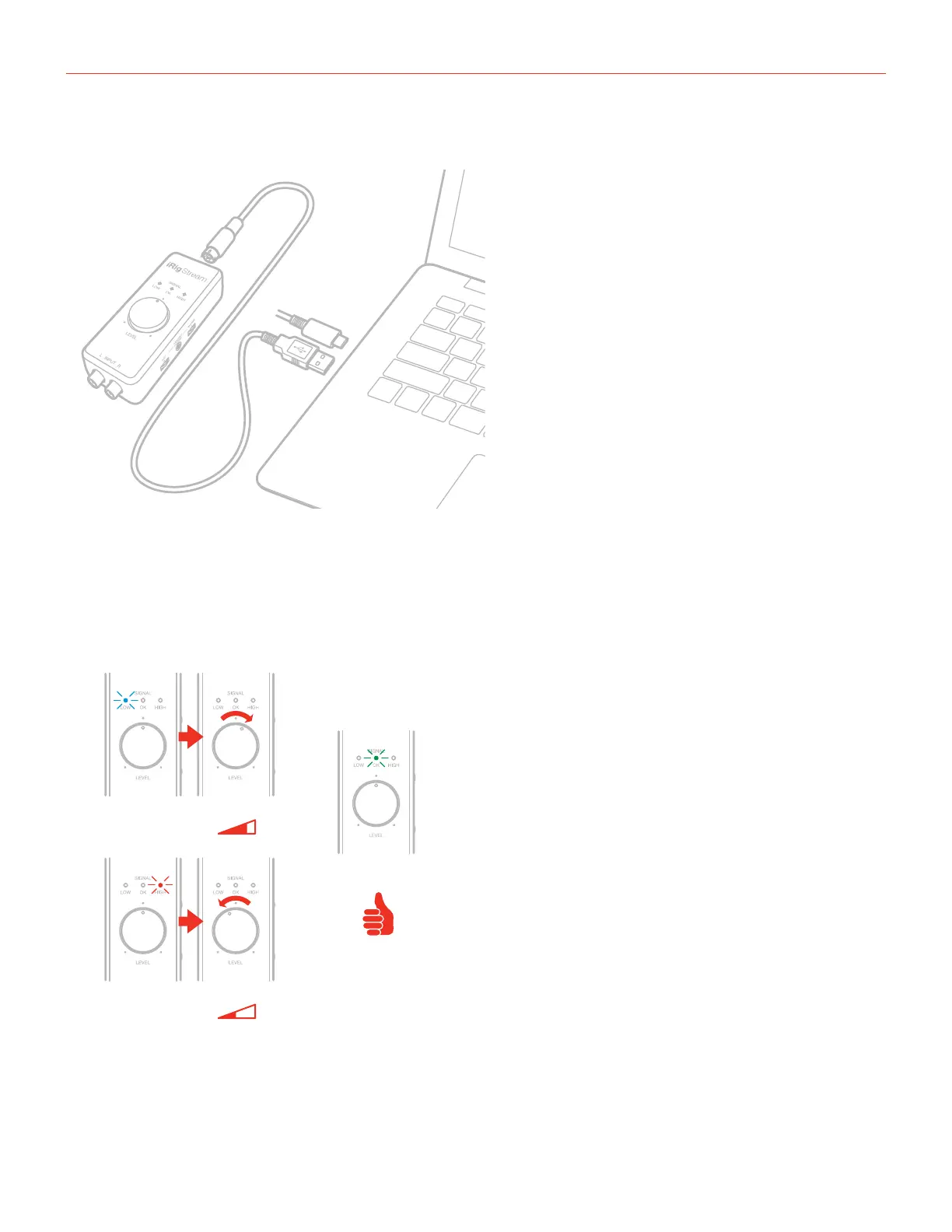
Connecting iRig Stream to Mac/Pc
Once the iRig Stream is connected to the host with the appropriate cable, launch your audio application
and select iRig Stream as the input/output device from your system’s audio preferences. All the functionality
described above allows you to cope with any registration and streaming needs.
iRig Stream signal LEDs
BLUE
GREEN
RED
The three LEDs on iRig Stream give you important information about the iRig Stream’s operating status. Each
status is indicated by a different color:
•SignalLOW: bright blue LED. iRig Stream is connected and active and the input signal is low. Use the main
Level knob to increase the overall level that is recorded.






 To Next Page