Step 3:
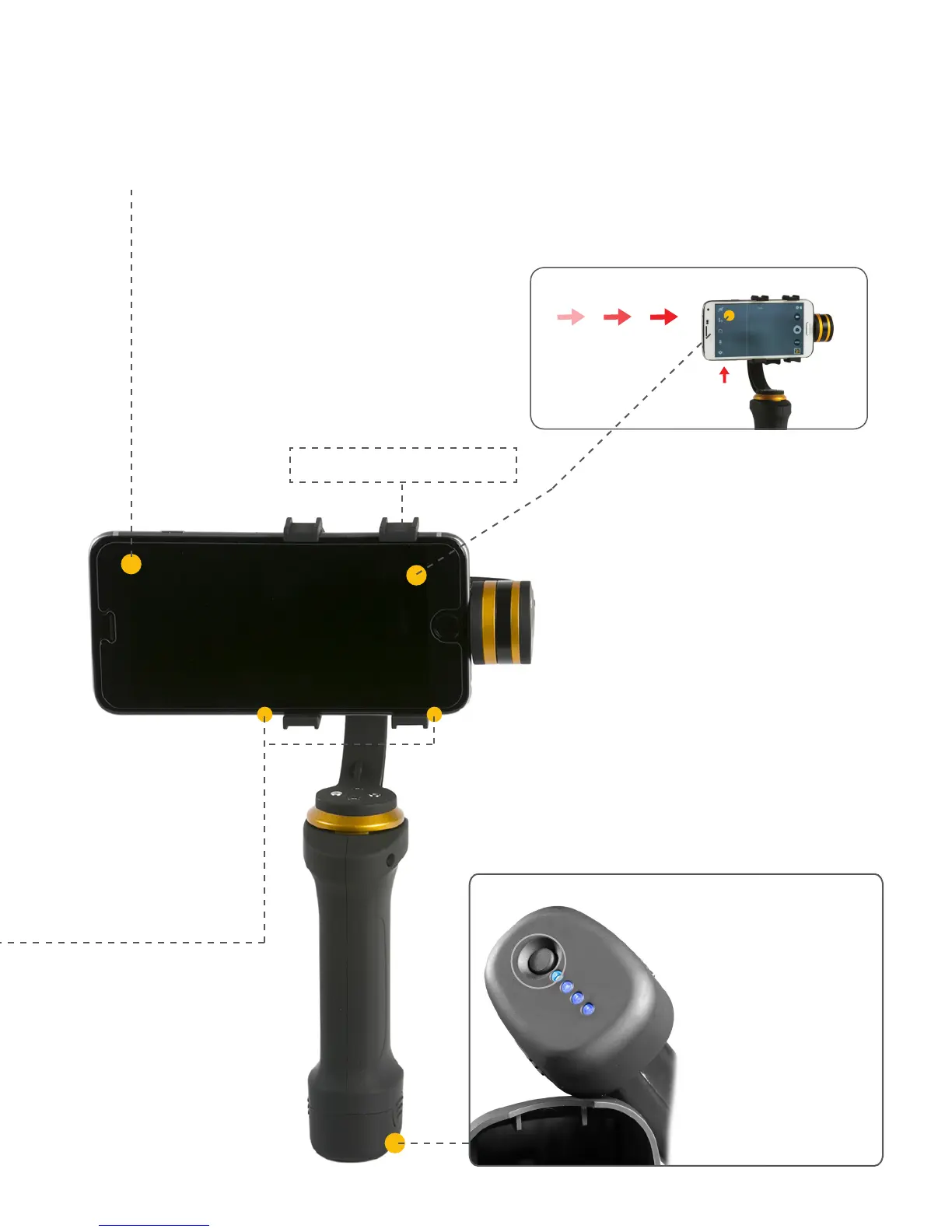
After leveling the phone, it is best to turn ON
your camera and orient the screen to face you.
Keep it balanced along pitch direction.
Step 4:
Turn on the FLY-X3-PLUS now by pressing power
button on the bottom of the handle and hold the
handle upright. The smart phone will adjust &
level its gyro motors calibration in seconds, and
you’re ready to shoot.
Camera Lens favors left
side of the cradle
Fits 2.49”-3.6”
(63.24 mm-91.41 mm)
Expandable Clamp
CLICK!
When turning on the
gimbal, please hold it
upright with the phone
level to ensure proper
balance/calibration. The
gimbal is now ready for
use. Press it again to
turn off the gimbal.
06



 To Next Page