Connections and System Control
Conexiones y Control de sistema • Connexions & Utilisation • Anschlüsse und Systemeinstellungen
6
This list of sound levels is included for your protection.
30 Quiet library, soft whispers
40 Living room, refrigerator, bedroom away from trafc
50 Light trafc, normal conversation, quiet ofce
60 Air conditioner at 20 feet, sewing machine
70 Vacuum cleaner, hair dryer, noisy restaurant
80 Average city trafc, garbage disposals, alarm clock at two feet
The following noises can be dangerous at extended exposure:
90 Subway, motorcycle, truck trafc, lawn mower
100 Garbage truck, chain saw, pneumatic drill
120 Rock band concert in front of speakers, thunderclap
140 Gunshot blast, jet plane
180 Rocket launch pad
Information courtesy of the Deafness Research Foundation.
(1) POWER (ON-OFF)
(2) DC Power input (AC adapter included)
(3) XLR/1/4” COMBO MIC IN
(4) RCA input
(5) 1/4” (6.35 mm) MIC IN
(6) Dual L/R (Stereo) 1/4” (6.35 mm) LINE IN
(7) Balanced XLR outputs
(8) RCA output
(9) PHONES/ LINE OUT
(10) LCD Screen
(11) RECORD LEVEL/ SEARCH
(12) STOP/ BACK
(13) PLAY/ PAUSE
(14) RECORD
(15) SD card slot (SD card included)
(16) USB data port
(17) TIME
(18) FORMAT/ STEREO-MONO
(19) PHONES/ LINE VOLUME
(20) MIC/ LINE switch
(21) INPUT GAIN [- o +] switch
(22) INPUT SELECTION [REAR - FRONT] switch
(23) USB to PC
(24) USB to PC data transfer cable (included/ not pictured)
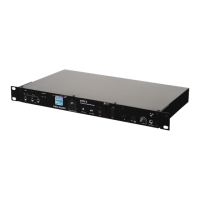
The iKEY RM3 is a digital rackmountable recorder that allows you to record,
playback, and listen to audio les. XLR, RCA, and 1/4” (6.35 mm) inputs al-
low for virtually any type of sound device to be connected such as a micro-
phone, guitar, bass, keyboard, drum machine or electric instrument. When
nished recording, les can easily be transferred between the RM3 unit and
your computer.
To begin using the iKEY RM3, you have to ensure that it has a working pow-
er supply and that the included SD card (SDHC compatible) is connected.
Connect the power adapter to the DC input (2) located on the left
side of the unit and connect the other end into an electrical outlet.
Overview of RM3 Connections & Controls
Getting Started
Power Supply


 To Next Page
 Loading...