EasyManua.ls Logo

iLive ICP200B - Introduction

iLive ICP200B
12 pages
Print Icon
To Next Page IconTo Next Page
To Previous Page IconTo Previous Page
Loading...

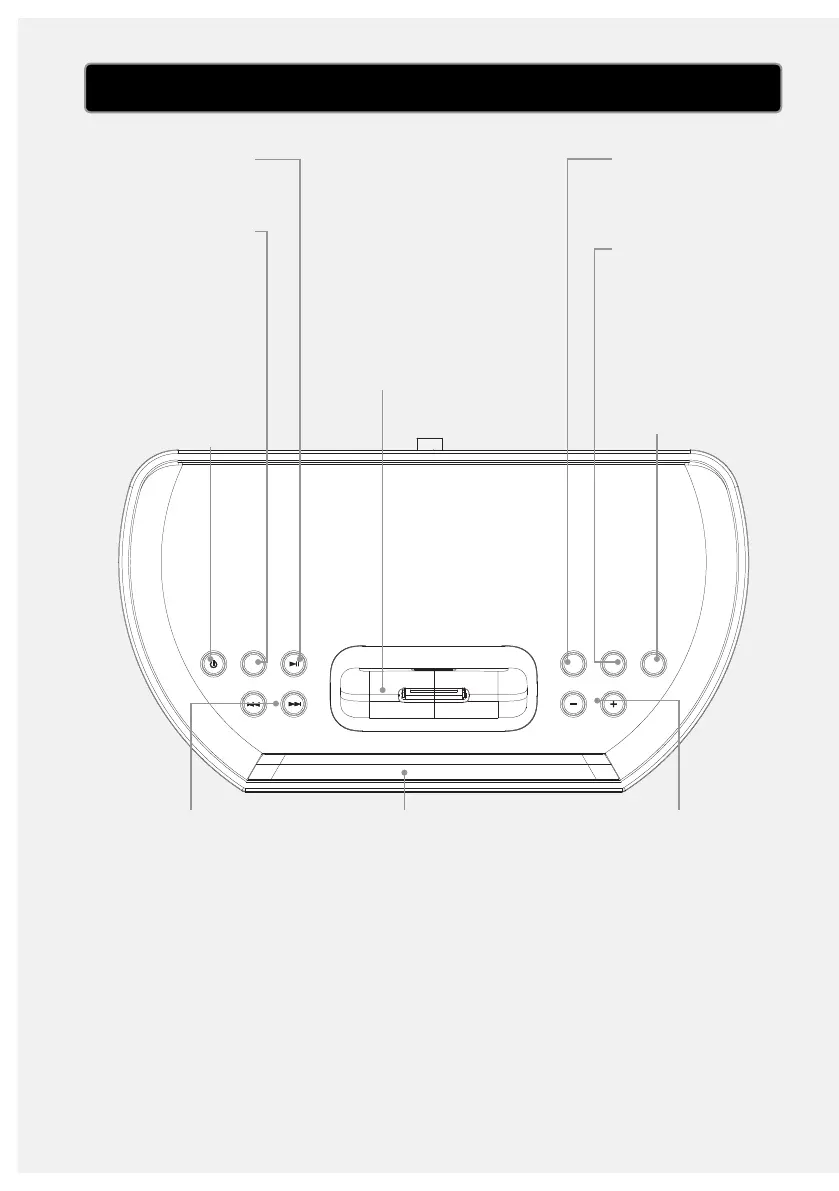
POWER/
SOURCE
SLEEP PLAY/PAUSE
– TUNE/HR +
CLOCK/ALARM
SET
MEM ALARM
VOLUME/MIN
SNOOZE/DIM
PLAY/PAUSE
Press to play or pause a
docked iPhone or iPod.
SLEEP
Press repeatedly to set
the sleep timer.
POWER/SOURCE
Press to power the clock
radio on. Press and hold
to power the clock radio
o. While on, press to
switch between Radio,
iPod, and AUX modes.
SKIP/SEARCH/
TUNING/HR
Press to skip between
tracks on a docked
iPhone or iPod. Press
and hold to search
through an individual
track on a docked
iPhone or iPod.
Press to tune the FM
radio. Press to adjust
the hour when setting
the time or alarm time.
CLOCK/ALARM SET
In o mode, press to set
the clock. In on mode,
press to set the alarm.
MEM
Press and hold to save
the current radio station
as a preset. Press to
cycle through current
radio presets.
ALARM
Press to activate alarm 1
or alarm 2.
SNOOZE/DIM
After the alarm sounds,
press to delay the alarm
for an additional 10
minutes.
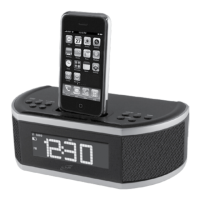
Dock for iPod/iPhone
Plays and charges a
docked iPhone or iPod.
VOLUME/MIN (+/-)
Press to adjust the
volume. Press to adjust
the minute when
setting the time or
alarm time.
INTRODUCTION

Related product manuals