Setup
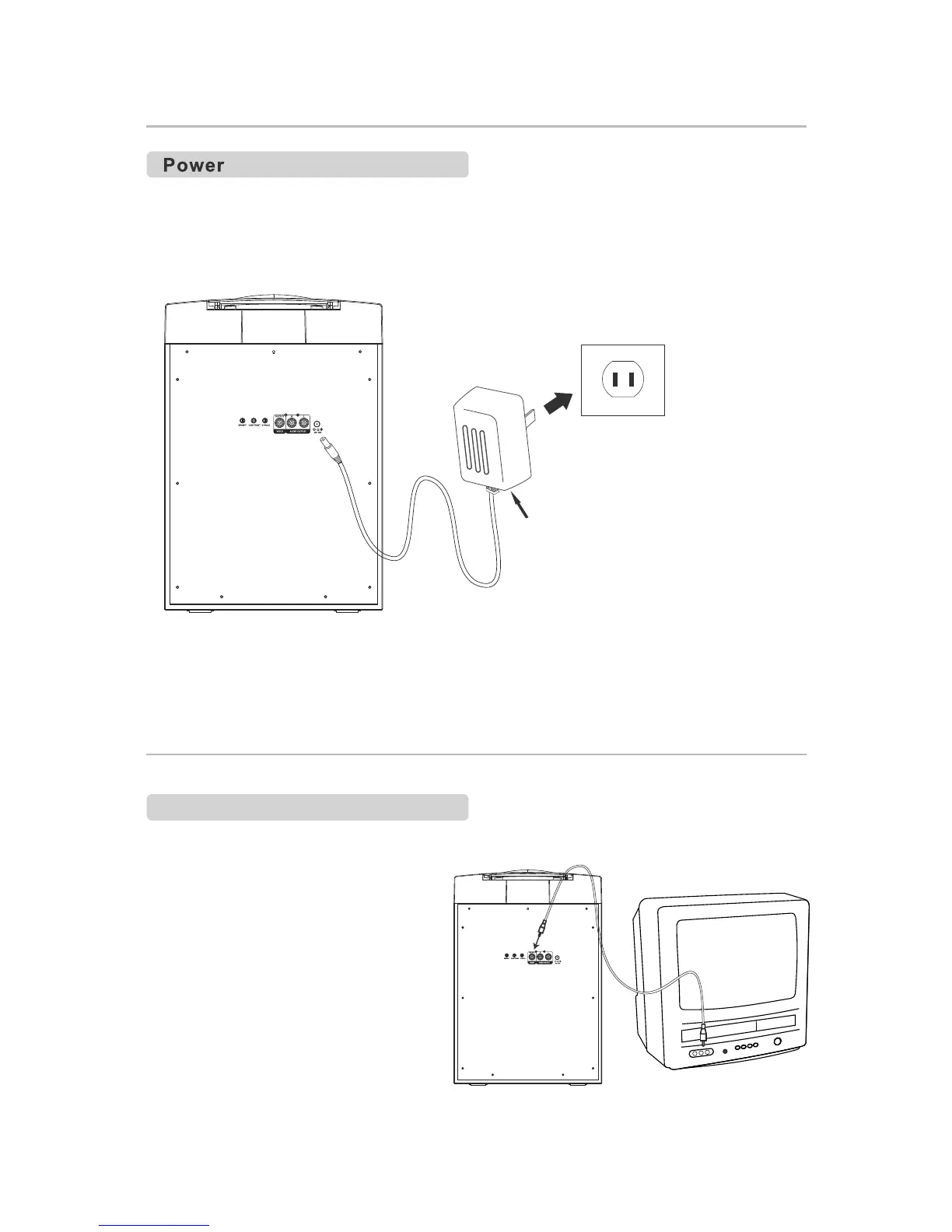
Plug the small end of included AC power adapter into the unit and the adapter into
the power outlet.
Plug unit in and press POWER button. POWER indicator will light up. Insert disc
or Connect your Smart Device to AUX IN jack. Adjust MASTER VOLUME to
desired sound level.
Wall outlet
AC~120V 60Hz
AC adapter
Connect to a TV/DVD/External Device
Requires an RCA Audio/Video
Cable (included).
1.
Plug
the yellow end of the
included RCA Audio/Video
Cable:
Unit: Video Output
TV: Video Input
2.Adjust the TV to the correct Input
setting.
3.
When
playing CD+G disc and set
The karaoke player will output
written lyrics to the connected TV.
the FUNCTION switch to CD+G.
TV(not included)
To Video Input
Connecting For Video


 To Next Page