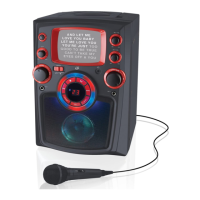
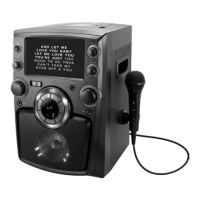
1. Pull the OPEN/CLOSE area to open the CD DOOR.
2.
Place
a CD+G or CD into the CD compartment.
3.
Close
the CD DOOR.
1.
Load
a Disc;
2.
Adjust
the FUNCTION switch to CD+G or CD.
3.
Press
the PLAY/PAUSE button to begin playing the loaded disc. The
PLAY/PAUSE indicator will light up.
4. To temporarily stop playing, press the PLAY/PAUSE button once (indicator
light will flash). To resume play, press the PLAY/PAUSE button one more
time.
5.
Press
SKIP/SEARCH button to skip between next or previous tracks.
6.
Hold
the SKIP/SEARCH button to fast search through the tracks.
Please
note: The fast-forward and fast-rewind functions will not work for
CD+G discs.
7.
Press
the STOP button to stop playing.
1.
Load
a Disc.
2.
Adjust
the FUNCTION switch to CD+G or CD.
3.
Press
the REPEAT button once (indicator light will flash). The unit will play
the current track repeatedly.
4.
Press
the REPEAT button twice (indicator light will light up). The unit will
play the entire disc repeatedly.
5. To cancel the REPEAT function: Press the REPEAT button repeatedly
(indicator light will turn off) or press the STOP button twice.
1.
Load
and Play a Disc.
2.
In
CD/CD+G STOP mode, press the PROGRAM button and the program
indicator will flash.
3.
Press
the SKIP/SEARCH buttons to select the track you wish to play first.
4.
Press
the PROGRAM button to confirm.
5.
Repeat
steps 3 and 4 to program up to 20 tracks to play in a specified order.
6.
Press
the PLAY button to start the program playing. The PROGRAM indicator
light will flash.
7.
Press
the STOP button twice to cancel programming.
Play CD+G or CD’s
Loading a Disc
Playing a Disc
Repeat Function
Programming a Disc


 To Next Page