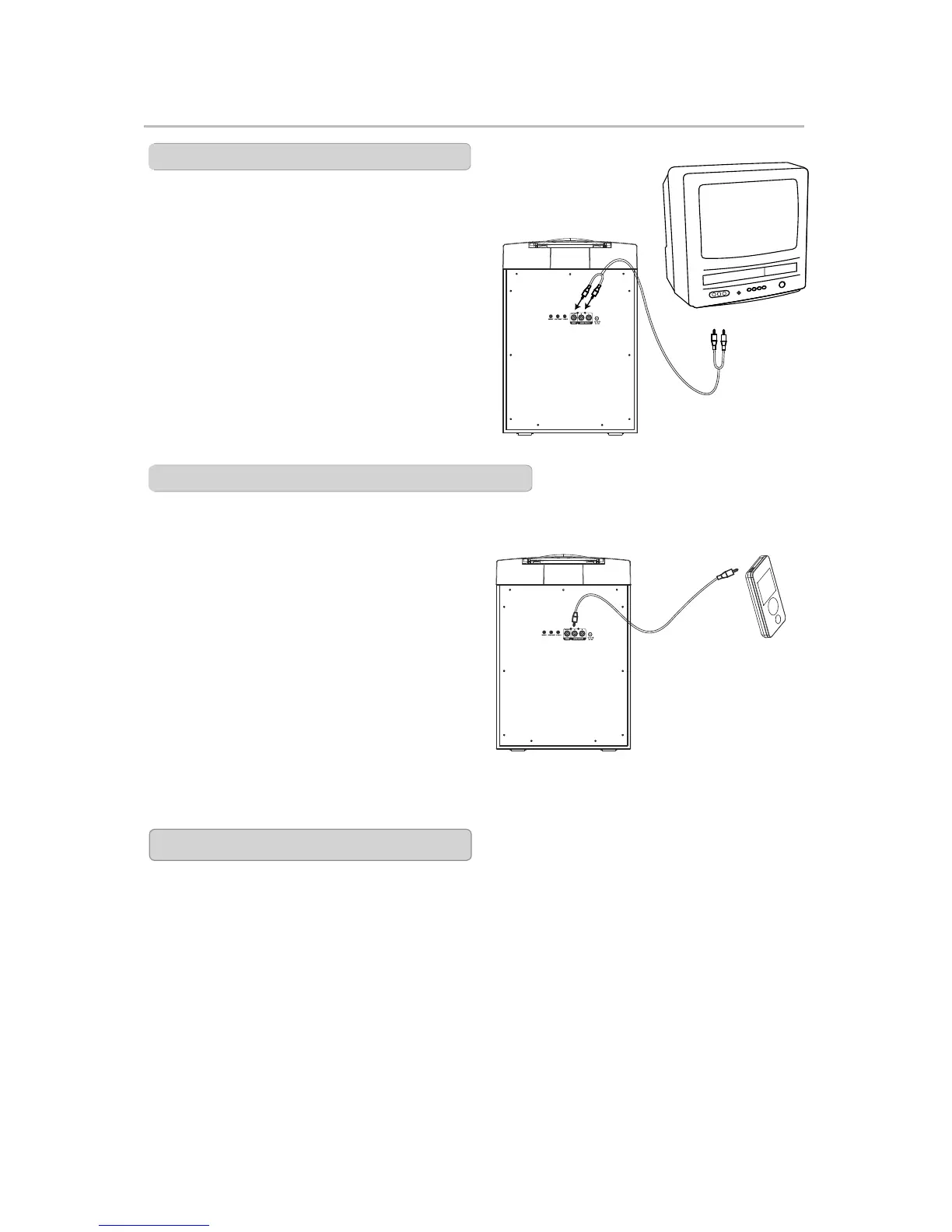
RCA Audio Output
RCA Audio Output and AUX Input
Requires an RCA Audio/Video Cable
(included)
1. Plug the Red & White end of the RCA
Audio/Video Cable into the RCA
AUDIO OUTPUT and an RCA Audio
Input on a TV or Stereo system.
Unit: Audio Output L/R
TV: Audio Input L/R
2.Adjust the TV or stereo system to the
correct input setting.
3. When playing disc, the karaoke player
will output audio to the connected TV
or stereo system.
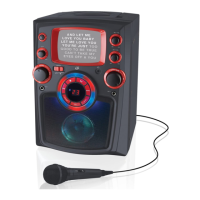
3.5mm AUX Input(AUDIO IN/LINE IN)
Smart Device
(not included)
TV(not included)
Requires a 3.5mm AUX IN Cable
(included)
1. Connect the AUX IN Cable to the AUX
IN Jack on the back of the unit;
Connect the other end to the AUDIO
OUTPUT Jacks on the External Audio
Source
2.Adjust the FUNCTION switch to LINE
IN/MP3 mode.
3. You will use the External Device to
select music and adjust the volume to
the maximum level. You can now
control the volume with the karaoke
unit.
To
Audio Input
L/R
Automatic Voice Control
The AVC (Automatic Voice Control)
adjusts the volume of the unit
to compensate for varying levels
of volume from the microphone.
Press the AVC switch to ON or OFF to.
which the Automatic Voice Control
compensates for variations in volume.


 To Next Page