11
Important!
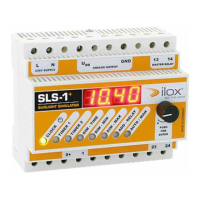
The SLS-1
+
controller may only be installed by qualified electricians.
Please observe and follow all standards, rules & regulations applicable
in your country!
Resetting all settings (»RESET«)
Select »MAN« by using the knob. In the display you will see »Auto«. Press the
knob for 5 seconds until a bleep sounds. READY!
Inquiry about the software version
Turn the knob one step beyond the menu item »Main« so that NO menu is
selected and NO green menu LED is lit up. Now hold the knob pressed for
at least 5 seconds until the term »Soft« and the current version number
(e.g. 2.05) is indicated alternately on the red display.
Error source Solving error
E 0 to E 3 Error inside µC-RAM section Processor defective, replacing the
device necessary
E 10 Program »TIMER« faulty:
Start time = Stop time
Reset or adjust program.
E 11 Program faulty:
Total dimmer time is greater
than the timer time
Correct program »DIM TIME«
or »TIMER«
E 99 Internal BACKUP data error Restore ex-works program using
»RESET«
Error messages (display)
english


 To Next Page