Portable DVD Player i1155_V11M11_IM_EN_10052007
www.i-Luv.com - 14 -
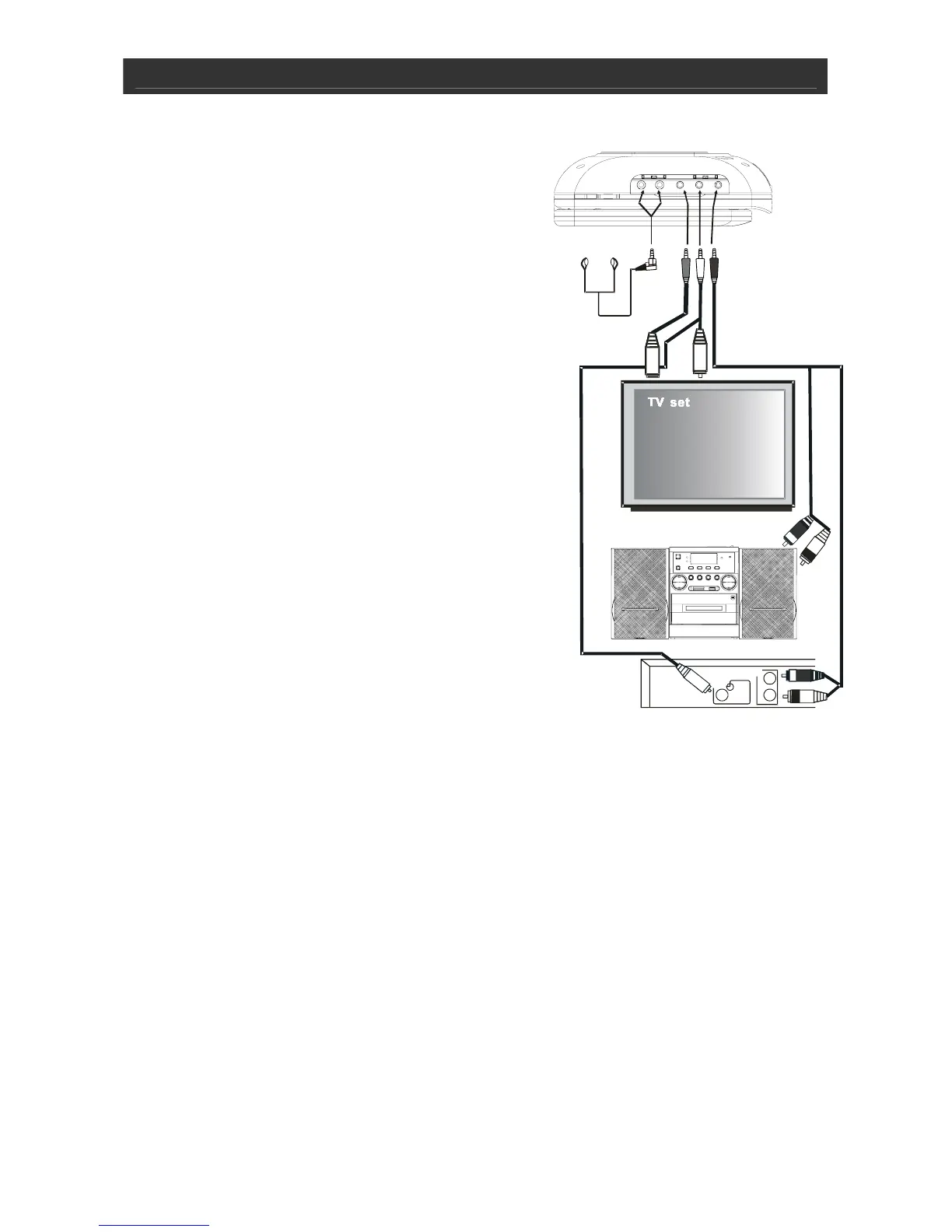
DVD Player
S-VIDEO
CABLE
VIDEO
CABLE
AUDIO CABLE
Micro System with AUX IN
OTHER
MEDIA
PLAYER
L
R
AUDIO
OUT
VIDEO
OUT
GETTING STARTED
Connecting Headphones (not included)
Use 3.5 mm stereo headphones with this product.
Warning: Hearing experts have found that using
headphones at high volume over an extended time may
cause damage to or loss of hearing.
Connecting the DVD Player to a
TV Set by AV Cable
Use the AV cable (3.5 mm to RCA) to connect the DVD
player to a TV set and amplifier. The yellow plug is used
for Video.
The white plug and red plug are for Audio.
Connecting the DVD Player to a
TV Set by S-Video Cable (not included)
Use the S-Video cable (3.5 mm to DIN) to connect the
DVD player to the TV set.



 To Next Page