Need help?
Do you have a question about the Iluv TrueBT Air and is the answer not in the manual?
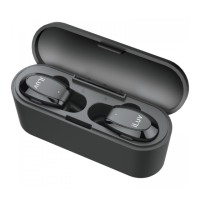
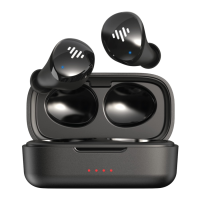
Details the components and features of the TrueBT Air earbuds, including ear fins, LEDs, and buttons.
Lists all items provided in the package, such as earbuds, charging case, ear tips, setup guide, and charging cable.
Provides essential information before use, including charging requirements and automatic power-on.
Instructions on how to properly wear the earbuds for a comfortable and secure fit, including trying different tip sizes.
Step-by-step guide to turning on the earbuds and pairing them with a mobile device via Bluetooth.
Instructions on how to play and pause music using the multifunction buttons on the earbuds.
Details on activating voice assistants like Siri or Google Assistant by double-clicking an earbud.
Guides on answering, hanging up, and declining incoming calls using the earbud multifunction buttons.
Procedure for charging the charging case using a Micro USB cable and understanding the LED indicators.
Instructions for charging the earbuds within the case and indicators for charging status.
How to turn earbuds off by placing them in the charging case and automatically turn them on when removed.
Manual power off by holding the multifunction button and power on by pressing it for 2 seconds.
Steps to reconnect the left and right earbuds by placing them in the case for 15 seconds.
Answers common user queries regarding automatic reconnection, charging, and music playtime.
Information on how to contact customer support via online registration, email, or phone.

 To Next Page
 General