13
HOW TO USE A SMART PROGRAM
Press any button on the console or begin ped-
aling to turn on the console.
When the console is turned on, the display will
light.
Select a smart program.
To select a smart
program, press either
of the Smart
Programs buttons.
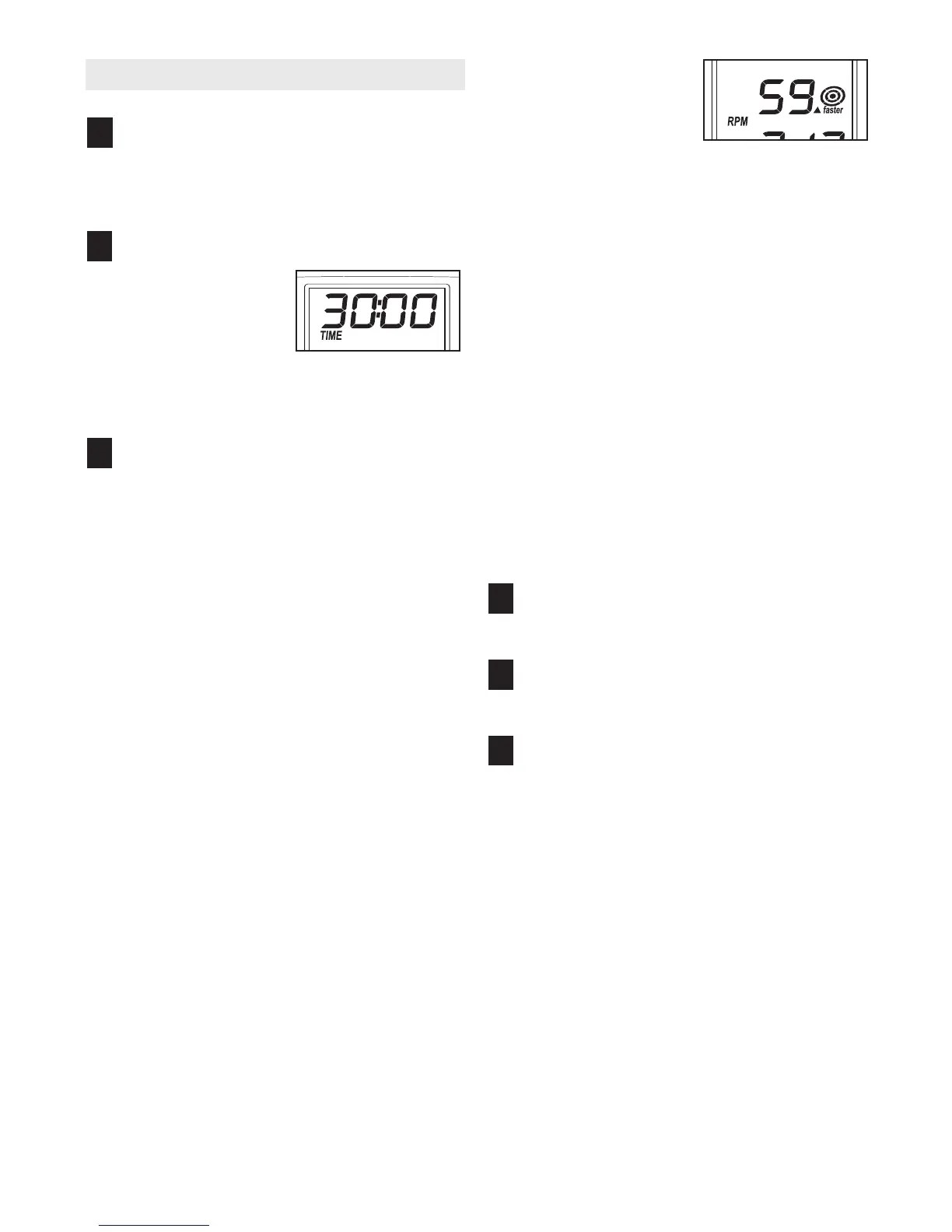
When a smart pro-
gram is selected, the
upper section of the display will show how long
the program will last.
Begin pedaling to start the program.
Each program is divided into thirty one-minute
periods. One resistance setting and one pace set-
ting are programmed for each segment. Note: The
same resistance setting and/or pace setting may
be programmed for two or more consecutive peri-
ods.
At the end of each period of the program, the
resistance of the pedals will automatically change
if a different resistance setting is programmed for
the next period. Note: If the resistance level is too
high or too low, you can change it by pressing the
Resistance increase and decrease buttons.
However, when the current period ends, the resis-
tance level will automatically change if a different
resistance setting is programmed for the next
period.
As you exercise, the
d
isplay will prompt
you to keep your ped-
a
ling pace near the
pace setting for the
current period. When
the word “faster” appears in the display, increase
y
our pace. When the word “slower” appears,
d
ecrease your pace. When the center of the tar-
get flashes, maintain your current pace.
Important: The pace settings are intended
only to provide motivation. Your actual pace
may be slower than the pace settings. Make
sure to exercise at a pace that is comfortable
for you.
If you stop pedaling for several seconds, the time
will begin to flash in the display. To restart the pro-
gram, simply resume pedaling.
The program will continue until the display shows
a time of 0:00. If you continue to pedal after the
program is completed, the display will continue to
show exercise feedback; however, the display will
not show the elapsed time, until you select the
manual mode or a new program.
Monitor your progress with the display.
See step 4 on page 12.
Measure your heart rate if desired.
See step 5 on page 12.
When you are finished exercising, the console
will automatically turn off.
See step 6 on page 12.
6
5
4
3
2
1


 To Next Page