Introduction
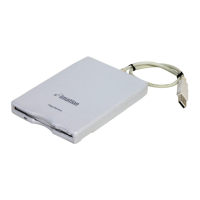
Thank you for purchasing an Imation
™
USB Floppy Drive. The Imation USB
Floppy Drive is designed for use with an Apple
®
iMac
™
, iBook
™
, or a Power
Macintosh
™
G3
™
or G4
™
computer or PC systems running Windows
®
98, 2000,
Millennium Edition or Windows XP featuring a Universal Serial Bus (USB) port.
Drive Features
• Read and write to 3.5 inch floppy disks
• An attached USB interface cable
• Plug & Play connectivity
• Hot Plug capability
Recommended System Requirements
• Apple iMac, iBook or Power Macintosh G3 or G4 with USB port with 32MB
of RAM and a hard drive with 1MB of free space running Mac OS 8.6 or later
• PC running Windows 98, Windows 2000, Millennium Edition or Windows XP
with 32MB of RAM and 1MB of free space on the hard drive
• CD-ROM drive
Package Contents
• Imation USB Floppy Drive D353FUE with interface cable
• CD-ROM containing USB Floppy Drive Drivers for Macintosh and Windows 98
Macintosh Installation
1. Insert the CD-ROM that contains the USB Floppy Drive Drivers into the
CD-ROM drive of your Macintosh computer. If you have Mac OS 9.x or
Mac OS 8.6 or higher with Apple MassStorageSupport driver version 1.3.5,
complete steps 5 and 6 for installation. If you wish to have the copy
protected software (PACE) the Imation driver provides, complete all six
installation steps. For Mac OS X 10.2 or higher, complete steps 5 and 6.
1
▲
1


 To Next Page