Notes
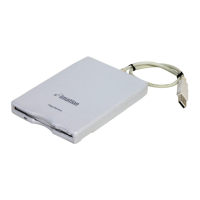
• The Imation USB Floppy Drive does not support 2DD 800K Mac format
or ProDOS format floppy disks.
• Auto-Eject function. (You must eject floppy disks as described in
“Ejecting Floppy Disks.” If you try to install software using a multiple-floppy
disk installation process, the drive may not correctly auto-eject disks.)
• You cannot start up the computer from a System disk inserted in the
Imation USB Floppy Drive.
• The driver software is designed for the Imation USB Floppy Drive and
will not work with other drives.
• Use only those USB hubs that feature an AC power adapter.
• Do not connect the Imation USB Floppy Drive to the USB port on the
Macintosh keyboard.
• Do not strike, drop, or otherwise impact the Imation USB Floppy Drive.
Technical Support
There are several ways to contact Imation for technical support.
Telephone Support:
U.S. and Canada: 1.800.936.4468
Australia: 1.800.244.181
New Zealand: 0800.445.922
Singapore: +65.383.7655 (sghelp@imation.com)
Hong Kong: 852-216 12000
Taiwan: 0800-021-666 & 0800-056-058
Middle East: 00971 4 881 8008
Other countries outside the U.S., contact your
local Imation office or the Imation Web site.
Internet and FAQs: www.imation.com
E-mail: info@imation.com
Drive Registration
To register on-line, go to www.imation.com/register
4


 To Next Page