For Dominator v1, v2, v3, SE, HD1, HD2, HD3
There are three ways to install the module into these goggles.
1) Using the auxiliary power board
2) Sending the goggles to a repair center to modify the power supply
3) A DIY modification to the Goggle’s power supply
Option 1: Auxiliary Power Board
The first method is the easiest, and can be performed using just the accessories shipped with the
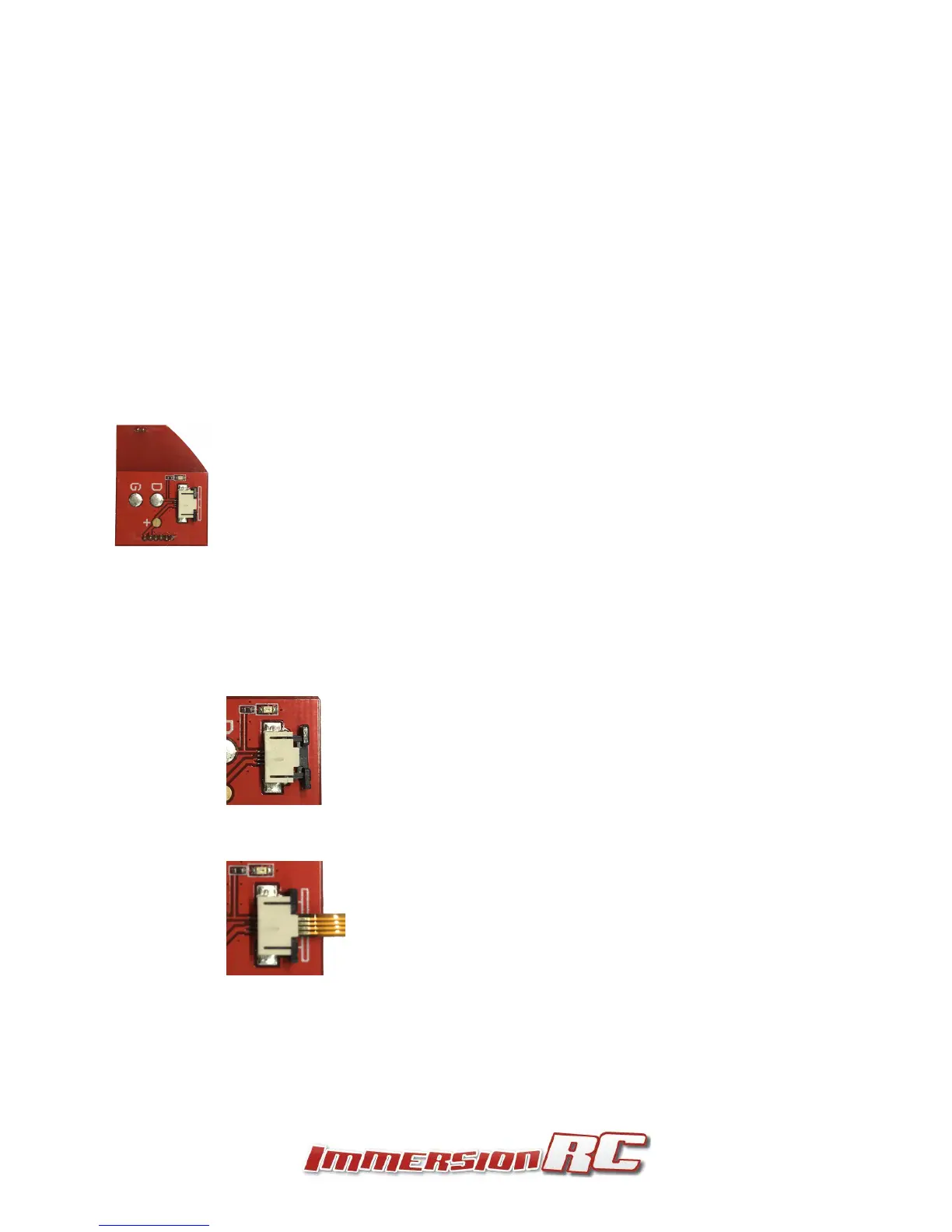
rapidFIRE module. The Auxiliary power board is a replacement for the head-tracker board which is
little used in the race/freestyle world.
To install it, follow the procedure below:
1) Open the head-tracker bay door (opposite side of the goggle from the Rx bay).
2) Very carefully attach the end of the flat-flex cable to the auxiliary power board
a) First carefully slide the black part of the connector away from the body
b) Insert one end of the cable with the metal pads facing up, and slide the black locking
piece back to its original position
3) Install the aux power PCB very carefully into the head-tracker socket. Take great care to
ensure that the pins are correctly aligned in the socket. Misalignment here can create damage
to the goggles and/or rapidFIRE module.
4) Run the flat-flex cable across the front of the goggles, through the center of the FatShark
logo.


 To Next Page