Introduction
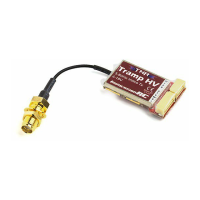
The Tramp HV is a tiny, high power 5.8GHz Audio/Video transmitter designed for FPV use, but with a
focus on the Drone Racing market.
Equipped with a dual user-interface, one a traditional button/LED, and another using near-field
communications (Touch’N’Race) to configure the transmitter using a contact-free wand.
The unique (and Patent-Pending) Touch’N’Race (TNR) feature was designed purely to enable race
events with extremely low inter-heat times, and reduce dramatically the risk of accidental power-ups
disrupting a race event.
Touch’N’Race (TNR)
When arriving at a race event using ImmersionRC TNR Technology, a pilot’s quad is placed in ‘Race
Mode’ during pilot registration. This is achieved without powering up the quad, and without any
physical connection, using a TNR Wand.
When in Race Mode (identified by a blink code on the internal LED), the transmitter will not transmit
unless requested by the race director’s TNR Wand. This typically happens during preparation for a
race, while the previous heat is running.
Quads are ‘wanded’ safely while their batteries are disconnected, and assigned their race band,
channel, and transmitter power level. When powered up, the quads will transmit on this assigned
channel until the battery is disconnected, at which point they will return to the race-director assigned
mode.
A race organizer may choose to allow quads which are not racing to transmit a very low power level
on a ‘Pit Frequency’ to allow quads to be setup, and debugged, without interrupting a race. This pit
frequency is defined by the race organizer to comply with local regulations.
This Pit Mode also allows quads powered up for equipment inspection to transmit an image.


 To Next Page