Firmware Upgrades
Both the OSD, and the Flight Controller, are updated using the USB port on the rear of the
Vortex.
OSD Firmware Upgrades
1) Remove all Props!
2) Download the ImmersionRC tools from the ImmersionRC website. Find it on the Vortex
product page.
3) Connect a Lipo.
4) Press the button on the Fusion board during 3 seconds (through a hole in the top
Carbon Fiber plate)
5) Attach the Vortex to a Windows PC (or a system running parallels, or similar) to the
Vortex using a standard Micro-USB cable.
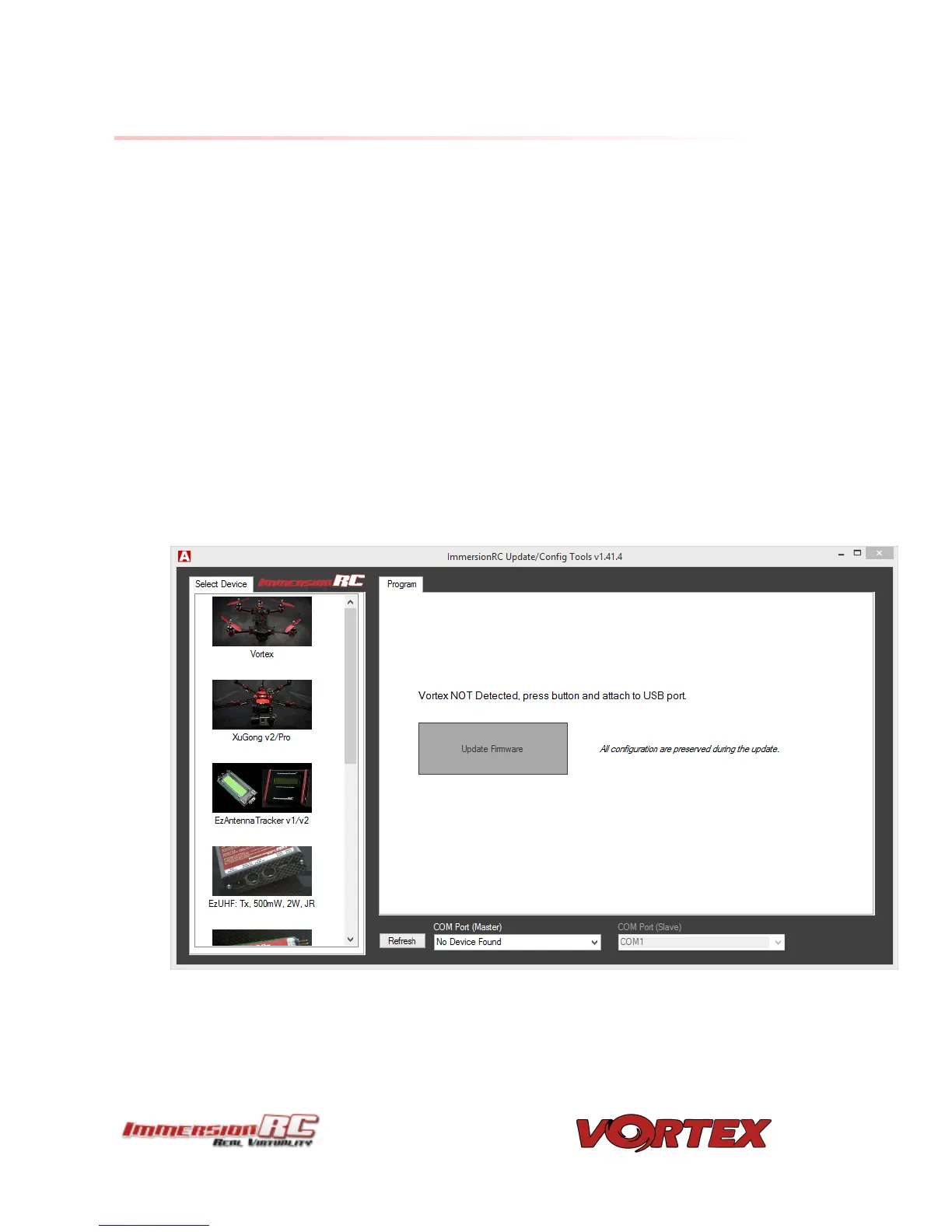
6) Visit the Vortex product page in the ImmersionRC Tools, and select the Program page.
7) Wait until the device is detected by Windows, and press the Update Firmware button.
8) Point to the update file downloadable from the Vortex product page on the
ImmersionRC website, and start the update.


 To Next Page