7
SmartDock
®
Installation | User’s Guide
Mounting Hardware and
Loose Parts
Verify parts list.
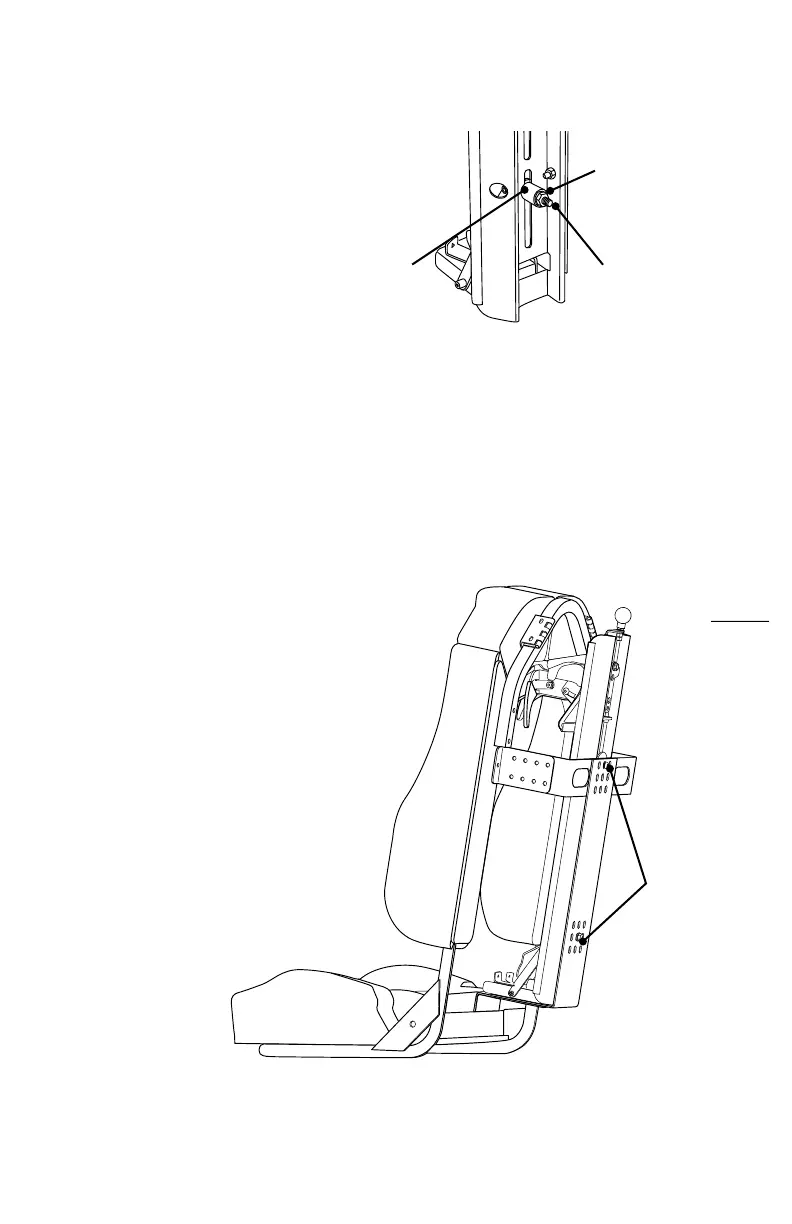
• (1) 5/16 – 18 bolt (pre-installed)
• (1) spacer (pre-installed)
• (1) 5/16 – 18 locking nut
• (1) additional valve retaining tab
• (1) 5/16 – 18 button head screw
• (1) 5/16 – 18 hex ange screw
• (1) upper mounting bracket
Locknut
Spacer
Bolt
SmartDock Initial Set-Up
and Adjustment
Initial set-up and adjustments should be
performed with the SmartDock removed
from the SCBA seat, as access to some
adjustments will be difcult or impossible.
Remove the SmartDock from the seat by
removing the mounting nut and bolt from
the backside of the seat.
Make sure to note the mounting position
for easy re-installation.
Mounting
Bolt & Nut



 To Next Page