7
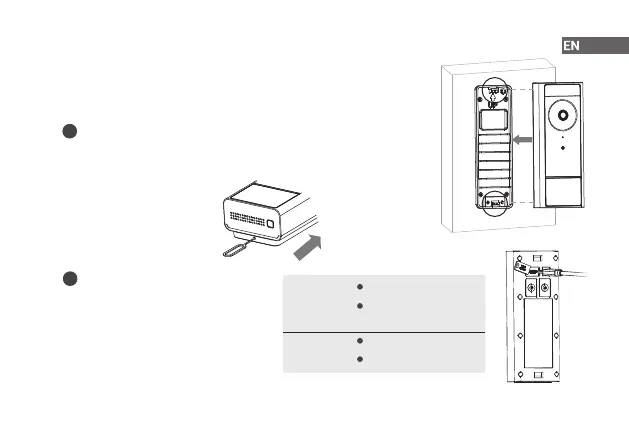
Step 4 Mount the Doorbell
Place the doorbell on the top tab of the mounting bracket, and then push it
into the bottom tab, until you hear it click into place.
How to detach the doorbell from the mounting bracket
How to recharge the doorbell
Insert the supplied pin into the hole at the bottom of the bracket
and push it slightly harder until the doorbell is released.
When you receive the low battery alert from
the app, please recharge your doorbell.
i
i
LED
Indicator
Charging: Flash green
Fully charged: Solid
green
5V 2A: About 3 h
5V 1A: About 6 h
Charging
Time


 To Next Page