9
OR
x 2x 4
1 2
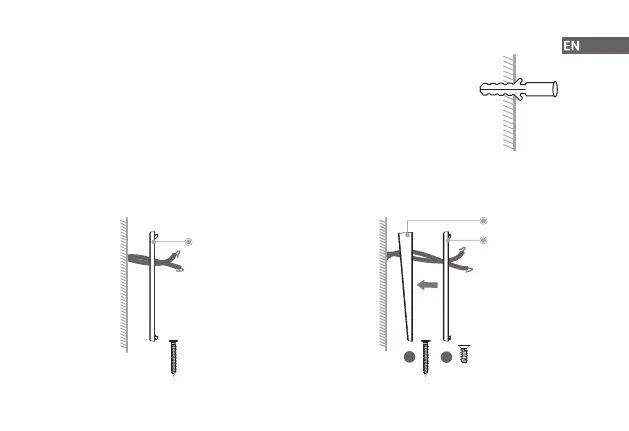
Mounting Bracket
Mounting Bracket
Angled Bracket
Step 2 (Optional) Install Wall Anchors
If installing on stucco, brick, or concrete, use the provided drill bit to drill holes where
marked, and then insert the included wall anchors.
For wood, drywall or soft surface, skip this step.
Step 3 Secure the Bracket
Lead the doorbell wires through the hole on the bracket, and then secure the bracket to the mounting surface
with a Philips-head screwdriver and supplied mounting screws. Be sure to follow the "UP" direction on the
mounting bracket. For how to screw the bracket, please refer to the counterpart on page 6.
x 4


 To Next Page