Install the Video Doorbell (Battery Powered)
Step 1 Mark Mounting Holes
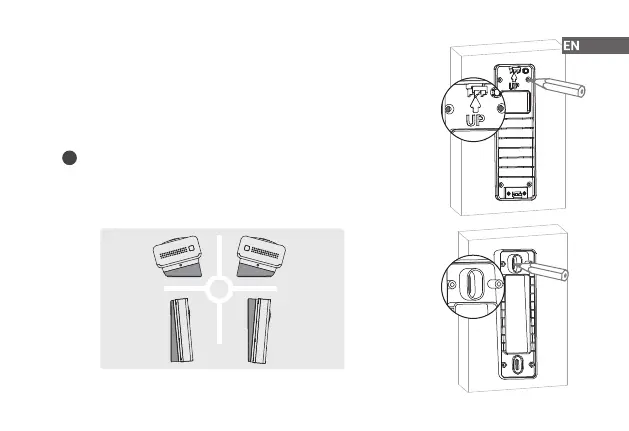
Place the mounting bracket on the mounting surface and then use it to mark the
screw holes. Be sure to follow the "UP" direction.
5
i
How to use angled bracket
Attach one of the angled mounting wedges to the mounting bracket if you
want to adjust the angle of your doorbell for a better view. Mark the screw
position according to the oval hole.
OR
15° Left
5° Up 5° Down
15° Right


 To Next Page