3
STEP 2
ASSEMBLY INSTRUCTIONS
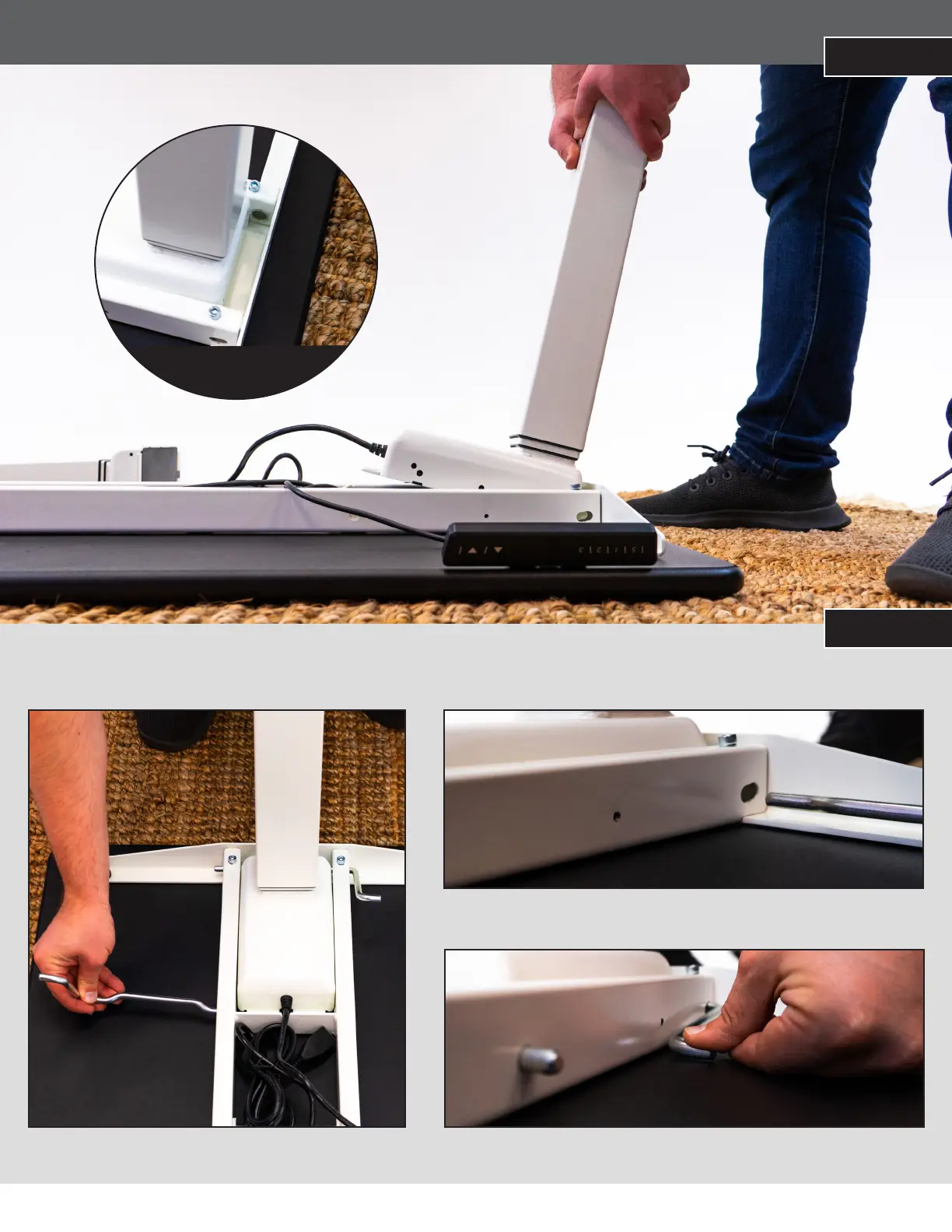
PLACE THE LEG 1 INTO THE BASE
STEP 3
SLIDE THE CLAMPS THROUGH THE SLOTS IN THE FRAME
1. Slide the clamps through the slots in the frame.
2. Turn the clamps counter-clockwise to lock the legs in place.
Note: Clamps must enter through the slots and exit through the round holes
on the other side. The smaller holes are for the stoppers (see Step 4).
Note: Ensure the leg rests ush
with the back edge of
the frame.


 To Next Page