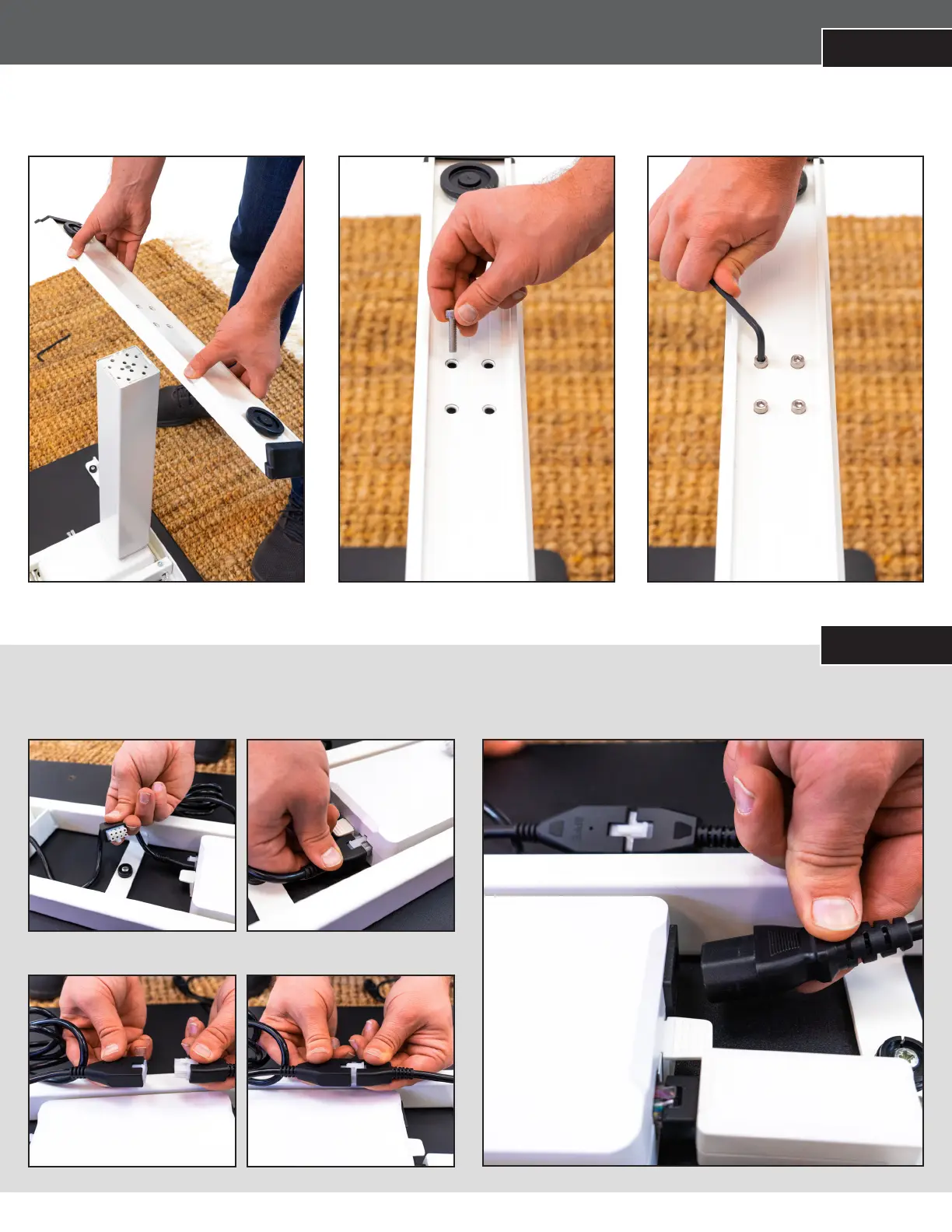
STEP 6
ATTACH THE FEET TO THE LEGS
Place the foot onto the leg. Align the four screwholes. Attach using the provided machine screws (4) and allen key. Repeat for the other side.
STEP 7
5
PLUG IN THE LEG MOTOR CABLES
1. Plug the rst leg motor cable into the power control box.
PLUG IN THE POWER SUPPLY CABLE
Plug the power supply cable into the power control box.
2. Plug the second leg motor cable into the connector cable.*
*Ensure the connector cable is plugged into the power control box.


 To Next Page