Page 2
INTRODUCTION TO THE DEVICE
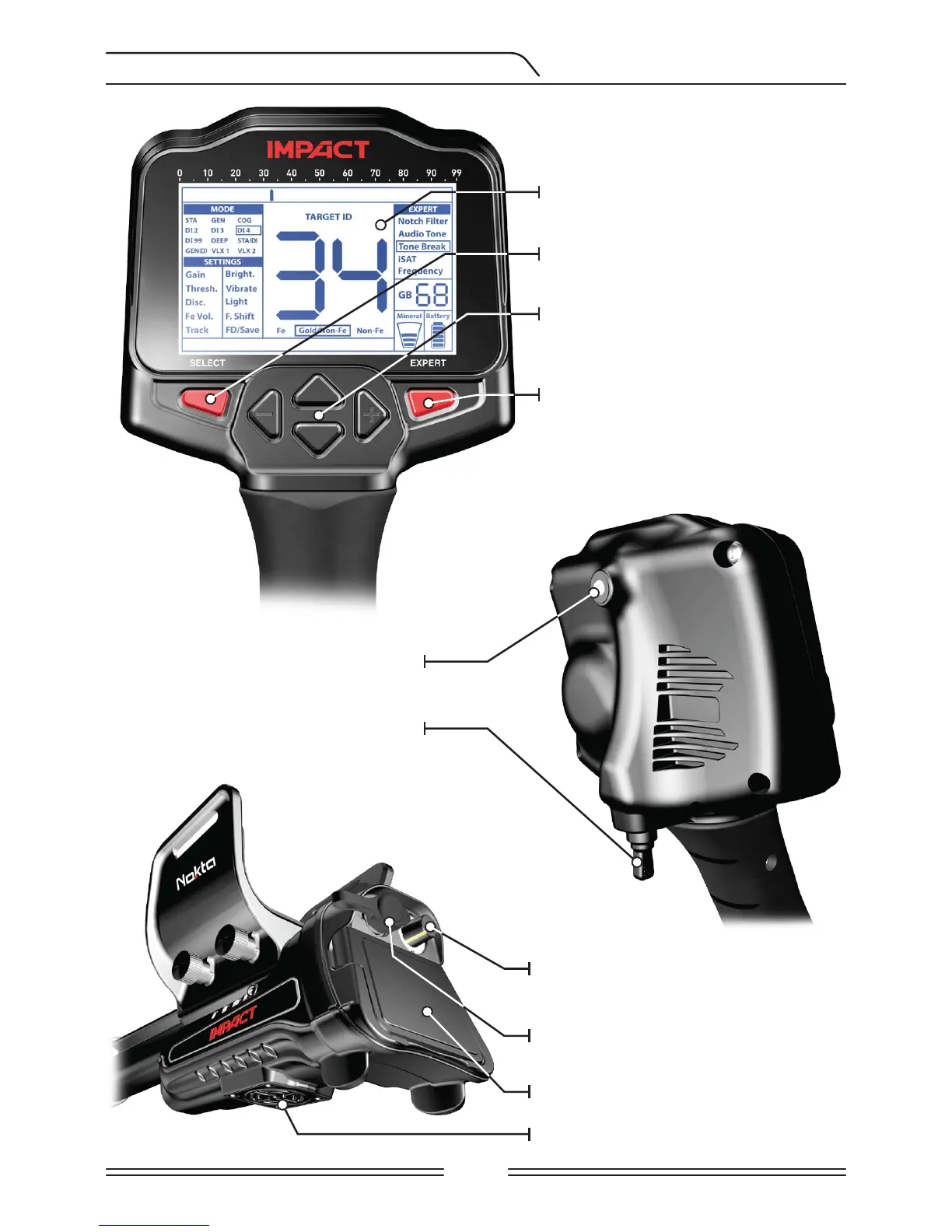
LCD Display
SELECT button to access the
basic settings
Keypad for navigation among
menu options and changing the
device settings
EXPERT button to access the
expert settings
LED flashlight
On / Off and volume / overload
volume adjustment button
Headphone jack
Battery compartment cover
Speaker
Ground balance and pinpoint trigger



 To Next Page