E
3. Press button 3 to start a station scan. As soon as the
scan is nished, FM radio play back will start with the
rst station to be found.
4. Use buttons 2 and 4 to switch between the radio
stations.
AUX mode
1. Fully charge the speaker‘s battery.
2. Press button 1 to switch on speaker and short press 1
to switch to AUX mode („AUX mode“ is said).
3. Connect an external device (e.g. MP3 player) by using
the provided micro USB - 3.5mm AUX cable and start to
play back music.
4. The play back volume may be controlled via the BAS 4‘s
volume control knob (9), other play back options need to
be controlled via the external device.
Technical data
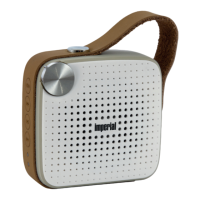
Device name: IMPERIAL BAS 4
Speaker properties: 2‘‘ tweeter-subwoofer combinati-
on
Speaker power: 4W @ 4Ω
Bluetooth version: 4.0 + EDR
Speaker modes: Bluetooth/FM/TF card/AUX
Max. TF card size: 32GB
Music data supported: MP3, WMA, WAV, FLAC, APE
Battery: internal 1000mAh Li-ion battery
Input power: DC5V/1A (via micro USB port)
Dimensions: 80 x 83 x 39mm
Weight: 145g


 To Next Page