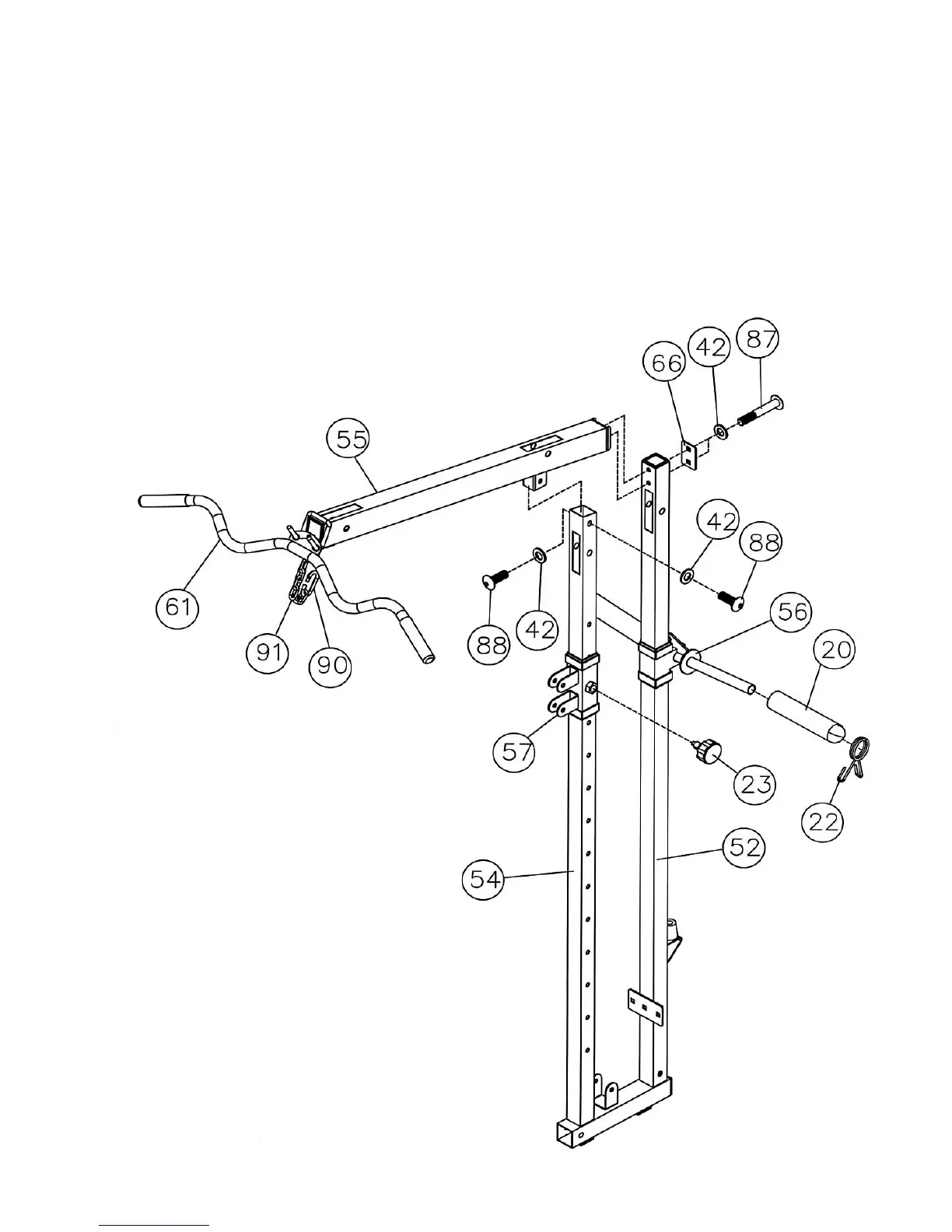
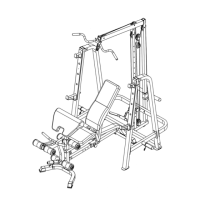
STEP 8 (See Diagram 8)
A.) Slide the Sliding Weight Post (#56) onto the Rear Vertical Frame (#52). Slide the Sliding
Pulley Bracket (#57) onto the Front Vertical Frame (#54). Use a Lock Knob (#23) to hold
the Sliding Pulley Bracket in position.
B.) Insert the Upper Frame (#55) into the top opening on the Front Vertical Frame (#54).
Secure it with two M10 x 5/8” Allen Bolts (#88) and ∅ ¾” Washers (#42).
C.) Attach the rear end of Upper Frame to the Rear Vertical Frame (#52). Secure it with two
M10x2 3/8” Allen Bolts (#87), one 2 ¾” x 1 ¾” Bracket (#66) and two ∅¾” Washers (#42).
D.) Slide two Olympic Sleeves (#20) onto the posts on the Sliding Weight Post. Attach two
Spring Clips (#22) to the Olympic Sleeves.
E.) Connect the Chain (#91) to the Lat Bar (#61) with a Hook (#90).
DIAGRAM 8
13



 To Next Page