4
Rugged TROLL cable
(Wireless Rugged TROLL
Com only)
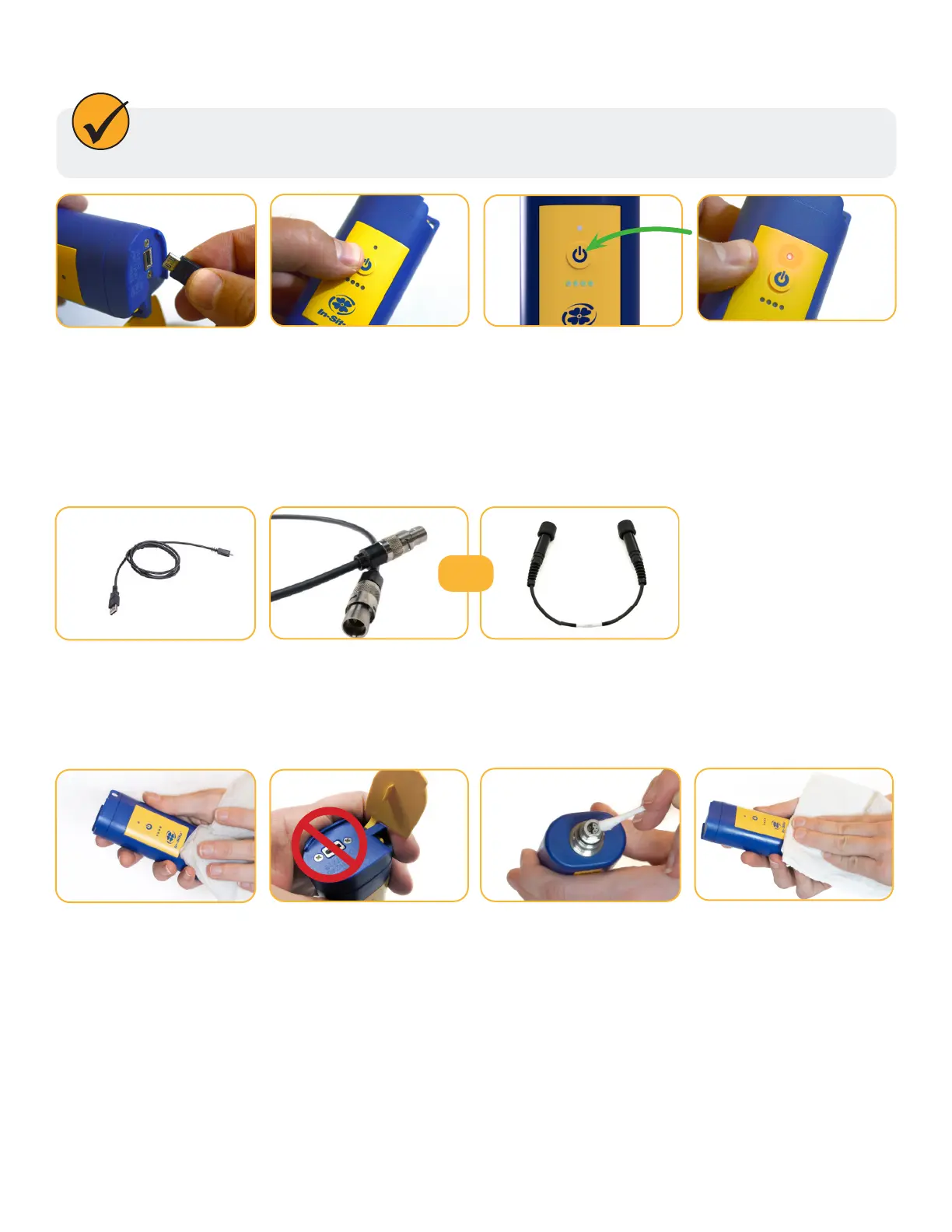
Rebooting the Wireless TROLL Com
Disconnect the Wireless
TROLL Com from a
power/charging source.
Turn on the Wireless
TROLL Com.
Hold the Power button
down until the bottom
LEDs ash back and forth
and then turn o.
Turn the Wireless TROLL
Com back on and
attempt to use.
Follow the steps below if your Wireless TROLL Com doesn’t respond while connected to a
computer.
The Wireless TROLL Com may be used with the following accessories:
Wireless TROLL Com Accessories
USB Cable or Charging
cable
Twist-Lock cable
(Wireless TROLL
Com only)
or
Clean the surface of the
Wireless TROLL Com with
a damp cloth and mild
soap.
Clean dirty or corroded
connector pins with
alcohol.
Make sure all parts are
fully dry before use.
Do not clean the charging
port.
Cleaning the Wireless TROLL Com
1-970-498-1500 www.in-situ.com



 To Next Page