Need help?
Do you have a question about the In Win 805 and is the answer not in the manual?
Details support for fan sizes and radiator configurations for cooling the system.
Instructions on how to access the interior of the computer case for installation.
Guidance on mounting the power supply unit into the designated area of the case.
Steps for securing the motherboard onto the case's mounting points.
Instructions for installing PCI-E expansion cards into the available slots.
Steps for installing 3.5" and 2.5" storage drives into the case's drive bays.
 General
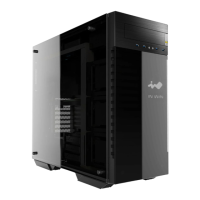
| Type | Mid Tower |
|---|---|
| Motherboard Support | ATX, Micro-ATX, Mini-ITX |
| 3.5" Drive Bays | 2 |
| 2.5" Drive Bays | 3 |
| Expansion Slots | 7 |
| Maximum PSU Length | 220mm |
| Rear Radiator Support | Up to 120 mm |
| Weight | 10.5 kg |
| Material | Aluminum, Tempered Glass |
| Front Radiator Support | 240mm or 280mm |
| Color | Black, Silver |
| Cooling System | Front: 2 x 120mm or 2 x 140mm fans, Rear: 1 x 120mm fan |
| Front I/O Ports | 2 x USB 3.0, 1 x USB 3.1 Type-C, Audio In/Out |

 To Next Page