This document serves as a user manual for InAlto Classique Top Loader Washing Machines, covering models ITLW55W, ITLW70W, ITLW80W, and ITLW100W. It provides comprehensive instructions for installation, operation, maintenance, and troubleshooting, ensuring optimal performance and longevity of the appliance.
Function Description
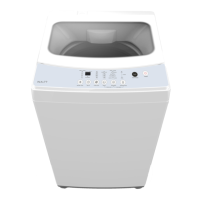
The InAlto Classique Top Loader Washing Machine is designed for domestic use, specifically for washing textiles suitable for machine washing. It operates as a top-loading appliance, meaning clothes are loaded from the top, and it is not intended for built-in installation. The machine offers various wash programs and functions to cater to different fabric types and soiling levels, including options for soaking, washing, rinsing, and spinning. It features an automatic water level selection based on load weight (Fuzzy Weighting) and allows for manual adjustment of water temperature and rinse cycles. The machine is equipped with safety features such as a child lock and error displays to indicate issues like abnormal water intake or drainage.
Usage Features
The washing machine offers a user-friendly interface with a control panel that allows for easy selection of wash programs and settings.
- Preparation before Washing: Before starting a wash cycle, users are instructed to ensure the machine is properly installed, the tap is open, clothes are loaded, and detergent is added. For the first wash, it's recommended to run a full cycle without clothes.
- Washing Process: The basic washing steps involve powering on, selecting a program, choosing the water level, and starting the cycle. If a default program is selected, water level and program selection steps can be skipped.
- Personalised Wash Program Setting: Users can customise their wash by selecting a program, setting rinsing times, water volume, and a delay start. This allows for flexibility to match specific demands.
- Operations of Washing Process: The machine supports single processes or combinations of washing, rinsing, and spinning. For example, a "One Touch Smart Wash" allows for a quick start, while "Spin" or "Wash + Rinse + Spin" functions can be activated by holding the Function button until the desired lights are on.
- Water Level: The water level can be selected according to clothing categories, degree of soiling, and personal washing habits. There are eight water levels, indicated by solid and flashing LED lights on the display.
- Display: The display provides information on settings, estimated time remaining, options, and status messages. Flashing LEDs indicate delay start time, while solid LEDs show remaining program time.
- Delay Function: After selecting a program, the Delay button allows users to choose a delayed start time. Pressing Start/Pause commences the delay operation. To switch off the delay, press the button until the delay light is off.
- Wash Function: This button allows selection of specific wash functions such as Soak, Wash, Rinse, or Spin, either individually or in combination.
- Water Temperature: Users can select the water temperature (Hot, Cold, or Warm). When both Hot and Cold indicators are lit, the machine uses Warm water.
- Rinse: This button allows selection of the desired number of rinse cycles.
- Start/Pause: After setting desired wash settings, this button starts the wash cycle. It can also be used to pause the machine during operation.
- Power: This button turns the washing machine On or Off.
- Program: This button selects the wash program type. Solid indicators show programs on the left, while flashing indicators show programs on the right. Available programs include:
- MIX: Suitable for cotton, linen, flax, and jute clothes.
- NORMAL (STANDARD): Standard program for ramie cotton fabric, involving one wash, two rinses, and a short spin.
- JEANS: For heavy stained/wearable clothes.
- SOFT: Gentle tempo, slow washing and spinning speed to minimise wear and deformation.
- STRONG: Longer wash time and stronger stream for better washing effect.
- HEAVY: Suitable for heavily stained/wearable clothes.
- QUICK 15': For light stained clothes and summer clothes.
- Fast Mode: This feature can save 20-40% of cycle time by strengthening washing beats. It is activated by simultaneously pressing the Program and Temperature buttons and deactivated by repeating the process or pressing Power off.
- Fuzzy Weighting: The machine automatically selects the water level based on load weight. This function is not available if there's water in the tub or if the water level is manually selected before pressing Start/Pause.
- Child Lock: Activated by simultaneously pressing the Rinse and Program buttons, this function locks all buttons except Power, preventing accidental changes to settings.
- Washing Matters Needing Attention: The manual advises on operating temperature (0-40°C) to prevent damage, checking labels for detergent use, and using non-foaming or less-foaming detergents. It also warns against washing a single item to avoid unbalance and suggests adding one or two more clothes for smooth draining. Flammable materials should not be washed.
- Usage of Detergent and Washing Powder: For agglomerated or ropy detergents, dilution with water is recommended before pouring into the detergent box to prevent blockages. Users should choose detergents suitable for machine washing and various washing temperatures for best performance.
- After Washing: The machine beeps after the cycle is finished and automatically cuts off power, indicating it's safe to unload laundry.
Maintenance Features
Regular maintenance is crucial for extending the working life of the InAlto Classique washing machine.
- Cleaning and Care: Before any maintenance, the machine should be unplugged, and the tap closed.
- Cleaning the Cabinet: The exterior surface can be cleaned with diluted non-abrasive neutral detergents. Any water overflow should be wiped off immediately. Sharp items should be avoided. Formic acid, diluted solvents, alcohol, and other chemical products are forbidden.
- Cleaning the Inlet Filter: The inlet filter should be cleaned if water flow is reduced. This involves screwing off the inlet pipe, pulling out the filter with pliers, cleaning it with a brush, and then reinstalling the pipe.
- Lint Filter Clean: The built-in lint filter collects lint during washing. It is recommended to clean it every 10 cycles by taking it out, washing it with water, and placing it back into the washer. The manual illustrates both "Magic filter" and "Normal filter" types.
- Cleaning the Drain Pump Filter (Not applicable for ITLW55W): This filter collects yarns and small foreign matters. It should be cleaned periodically. The process involves draining water from the pump, opening the filter by turning it counter-clockwise, removing foreign objects, cleaning the filter, restoring it, and tightening the pump cover clockwise. Warnings include being careful of hot water, unplugging the machine, allowing detergent solution to cool, and ensuring proper reinstallation of valve cap and emergency drain hose to prevent leaks. Users are advised not to remove the pump cover during a wash cycle if hot water is present.
Troubleshooting
The manual provides a troubleshooting guide for common issues, categorised by indication, reason, and solution.
- Operation in Case of Emergency: In emergencies, users should switch off all controls, turn off the washing machine at the power point or fuse box, and contact the Residentia Support Team.
- No Washing: This could be due to power issues (off, fuse burned, low voltage), insufficient water level (washer won't work if water doesn't reach required level), or "Delay" washing mode being active. Solutions involve checking power, ensuring water level is met, or waiting for the reservation time.
- No Water Flows In: Possible reasons include power issues, water supply cut off, low water pressure, improperly connected inlet hose, closed water tap, blocked inlet valve filter, or damaged inlet valve coil. Solutions involve checking power, water supply, hose connection, tap, and cleaning the filter.
- Abnormal Draining: This can occur if the drain hose is placed too high, sealed in a pond, or if the internal rubber ring of the drain valve is blocked. Solutions involve adjusting the hose position and checking for blockages.
- Abnormal Spin: Reasons include an open door lid, clothes piled unevenly or excessively, unstable machine placement (not flat), or a loosened motor belt. Solutions involve closing the lid, balancing clothes, ensuring stable placement, and checking the motor belt.
- Error Messages and Solutions: Specific error codes like "E1" (abnormal water intake), "E2" (water drain not finished), "E3" (lid not closed), and "E4" (washing stay at one side) are explained with corresponding solutions such as checking the water tap, water level sensor, drain pump, closing the lid, or manually balancing clothes. If problems persist, users are advised to contact the support team.


 To Next Page
 General