1
Product Overview
English
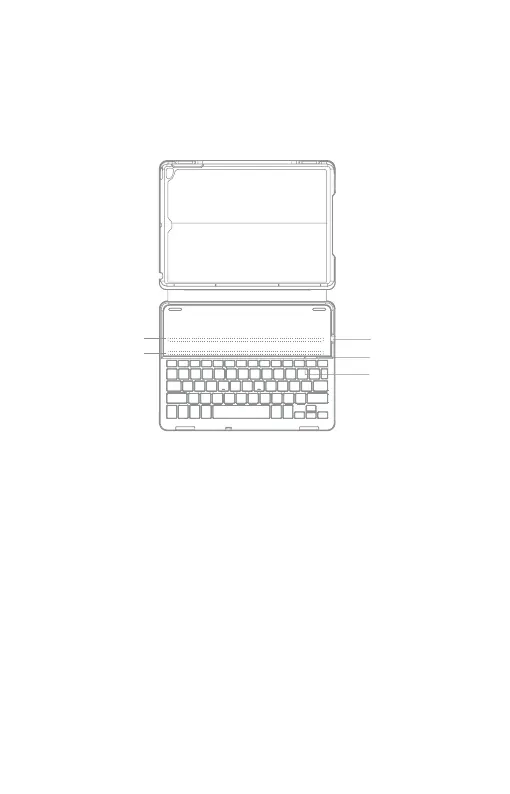
① Power Switch: Snapping the iPad onto the embedded magnetic strip 1 or
strip 2 automatically wakes the keyboard. The green light and blue light will
ash.
Battery Indicator: Red light will turn on when the keyboard is charging and
turns green once fully charged.
② CAPS Lock Indicator: Green light is on.
Bluetooth Status Indicator: Blue light will ash after pressing the Fn
and C keys together.
Baterry low Indicator: Red light will ash when it is time ro recharge.
③ Micro-USB Charging Port: Used for charging the keyboard.
③
Magnetic Strip 1
Magnetic Strip 2
①
②


 To Next Page