2
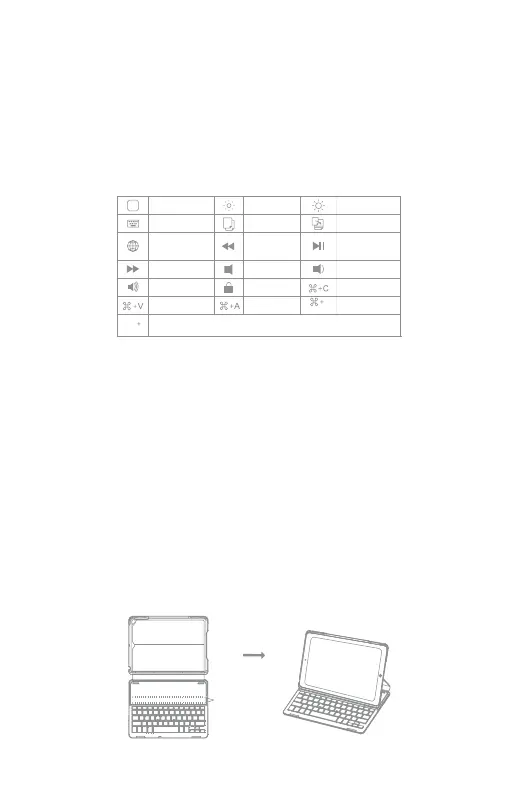
Ctrl
Switchlanguage
Space
Space
Home
Virtualkeyboard
Switch
language
Nexttrack
Volumeup
Paste
Decrease
Copy
Previoustrack
Mute
Lock
Selectall
Increase
Paste
Play/Pause
Volumedown
Copy
Search
Functions Keys
To use the shortcut keys, hold the “Fn” key while pressing the desired shortcut
key.
Note: When the iPad system is the ios 10, if you want to use Caps Lock Key
in normal to switch the case of alpha Characters, please follow the steps to
change the iPad settings:
Find General-Keyboard-Hardware Keyboard: TURN OFF Caps Lock and Switch
to/from Latin
Features
• Built-in with Broadcom Bluetooth 3.0 set module;
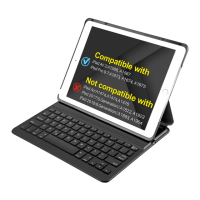
• Special for the iPad Air 2/iPad Pro 9.7;
• Protect your tablet with the existed PU case;
• Magnetic control to wake up or sleep your iPad with two magnetic strips, four
angles for perfect viewing;
• Close the case and the Bluetooth disconnect immediately;
• PU leather design of two sides of the case looks trendy and nice touchy.
Pairing to iPad steps
Step 1: Snapping the iPad onto either embedded magnetic strips will cause
the keyboard to turn on.
Magnetic Strips


 To Next Page