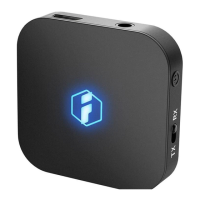
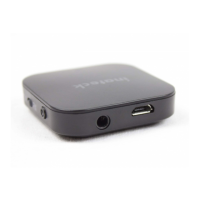
BR1004BluetoothReceiver
(English)
Overview
DC
H
EB
A
F
G
Switch
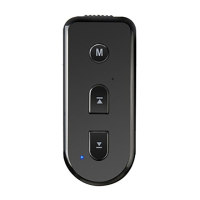
Multi-Function
Button
Microphone
PreviousSong/
VolumeUpButton
NextSong/
VolumeDown
Button
Micro-BCharging
Port
LEDIndicatorLight
3.5mmAudioJack
TurntheBluetoothreceiveron/off
Music:Presstopause/playmusic
Answeringphonecalls:Pressto
answer/hangupthephone
PressandholdtoturniOSSirion
DoubletapMulti-FunctionButtontocall
thelastpersonyouhavecalledrecently
Transmitsvoicewhileansweringthe
phone
Music:Pressfortheprevioussong.Press
andholdtoincreasethevolume.
Presstohangupthephonewhen
someoneiscallingyou.
Music:Pressforthenextsong.Pressand
holdtodecreasethevolume.Pressto
hangupthephonewhensomeoneis
calling
ChargeBR1004withUSBcable
Indicatesreceiverstatus
Connectearphoneorloudspeakertoplay
music
A
B
C
D
E
F
G
H
No. Name Functions
English·Deutsch·日本語
1
2 3 4 5 6 7
8 9 10 11 12 13 14 15


 To Next Page