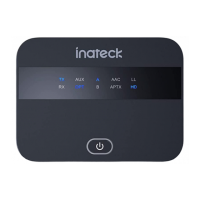
BR1004LEDStatusandOperation
UserGuide
Charging
IftheLEDindicatorlightblinksred,youneedtochargeBR1004
asfollows:
A.ConnecttheUSBcabletoaUSBadapteroryourcomputer;
B.ConnectMicroUSBplugtoBR1004;
C.TheLEDindicatorlightturnsto solidred whilecharging,
anditgoesoutwhenithasbeenfullycharged;
D.Ittakesapprox.2hourstofullychargethebattery.
Note:
1.Please fullychargethebattery beforeusingit for the first
time.
2.Noisecurrentmayoccurwhenyouchargetheproductwith
low-qualitypowersupply.
3.Itisnotadvisedtousetheproductwhilechargingsinceit
willshortenthebatterylife.
4.Toavoidbatteryover-discharge,chargetheproductoncea
monthafterextendedperiodsofstorage.
Setthe
ON/OFF
switchto
theON
position
andwaitfor
3seconds
BR1004 will be turned on after two
seconds when the LED indicator light
changestosolidblue.
WhenyouturnBR1004onforthe first
time,itautomaticallygoesintopairing
mode with the LED indicator
alternating between red and blue. If
successful pairing is not established
within3minutes,pairingmodewillbe
canceled and BR1004 will turn off
automatically.
BR1004 remembers the last device
pairedandwillautomaticallysearchfor
previous connections. The light will
turnsolidblueonceapreviouslypaired
device is detected. If no pairing is
established within 3 minutes, pairing
modewillbecanceledandBR1004will
turnoffautomatically.
Turn
BR1004on
Functions Operation LEDindicator
Redandblueflashinglight
Solidbluelight
Redflashinglight
Solidredlight
Waitingforconnection
SuccessfullyConnected/Paired
LowBattery
Charging
LEDIndicatorLight BR1004Status
1
2 3 4 5 6 7
8 9 10 11 12 13 14 15


 To Next Page
 Loading...