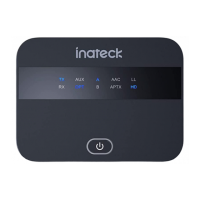
ConnectingBR1004toBluetooth-EquippedPhonesorTablets
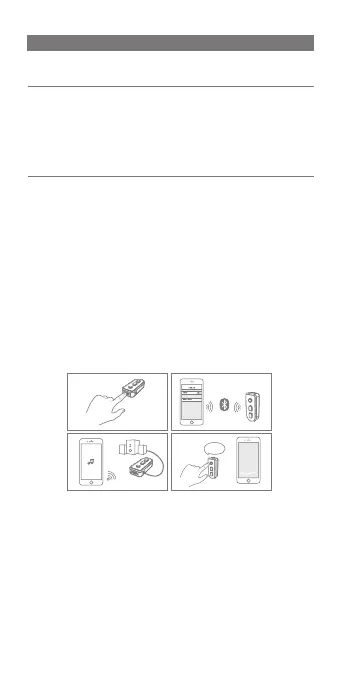
1) The optimal distance for connection between BR1004 and
your Bluetooth mobile or other Bluetooth devices shall be
within1meter.
2)SettheON/OFFswitchtotheONposition.Thelightwillflash
bluefor twoseconds andenters pairing modewith theLED
indicator alternating between redandblue.Onyourdevice,
turn on the Bluetooth function and set it to search for
Bluetooth devices. Select Inateck BR1004 from the list of
availabledevices.Oncepairedwithadevice,thelightwillturn
solidblue.
3)Connectyourearphoneorloudspeakerwiththereceiver via
3.5mmaudiojacktoenjoythemusic.
Note:
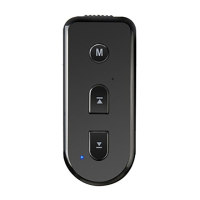
1.Pressandholdthe”M”buttontouseSirionyouriOSdevice
afterbeingpairedwiththeBR1004.
2.Themusicwillbepausedwhenyouarecallingoranswering
thephone.
3. As a Bluetooth receiver, BR1004 will remember the last 8
devicesitwasconnectedto. Ifanewdevice ispairedafter8
devicesare alreadypaired, thepaired device withthe oldest
connectiontimeisreplacedbythenewone.
4.DisconnectBR1004fromaBluetoothdevicebeforeyoustartto
pairBR1004withanotherBluetoothdevice.
SettheON/OFF
switchtoOFF
position
Reconnectto
yourdevice
automatically
whenyou
turnthe
receiveron
The light flashes red for two seconds
andgoesout.
Thelightflashesbluefortwoseconds.
Then, it starts flashing alternating in
red-blue, which indicates that BR1004
issearchingforyourBluetoothdevice.
Thelightchangestosolidblueifthe
device has been paired with your
device. If not, the light flashes in
alternating red-blue and the product
turnsoffafterthreeminutes.
Turn
BR1004off
Reconnect
topaired
Bluetooth
device
Functions Operation LEDindicator
HiSiri
WhatcanIhelpyouwith?
1
2
3 4 5 6 7
8 9 10 11 12 13 14 15


 To Next Page
 Loading...