2
The Use of the Double-sided Sticker
If you want to x the base to the surface of a platform, the double-sided sticker can
be applied. If the sticker is no longer sticky due to dust, wash it in the water and then
dry it. Afterwards, the sticker can be reused.
How to Power O
Long press the scan button if you want to power o the scanner immediately.
How to Use
Note: When the scanner is connected both via cable and wirelessly, it transmits data
through cable by default
Wired Mode:
1. Connect the barcode scanner with computer via USB cable
2. Open a le on computer and move cursor to the blank where scanning output
should be placed. Scanning results can be displayed on computer then.
Wireless Bluetooth Mode(HID)
1. Scan “Bluetooth Mode (HID)” barcode, and then “Match” barcode to notice the
indicator ashes blue and green alternately. The scanner enters Bluetooth pairing
mode.
Bluetooth Mode(HID)
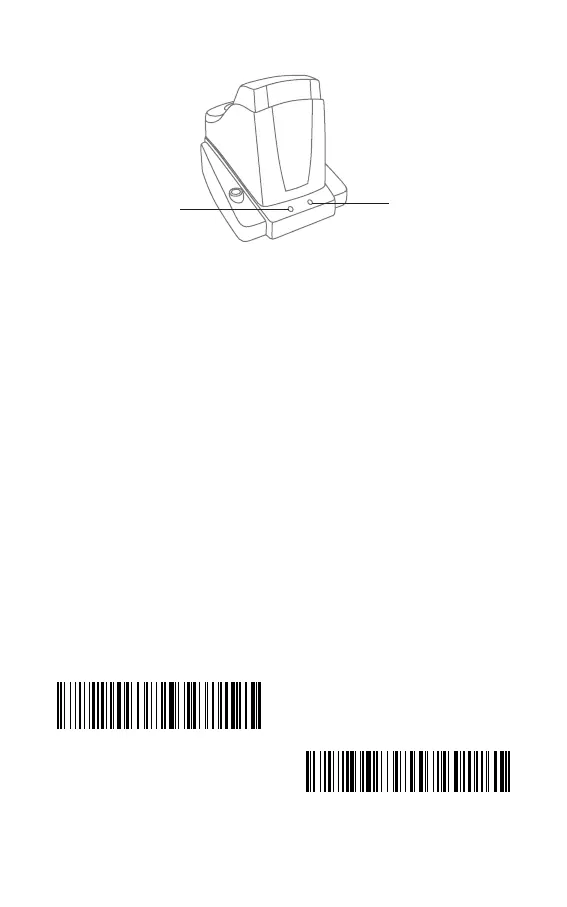
Indicator Light 1 on the Base
Indicator Light 2 on the Base
Match


 To Next Page