1
English
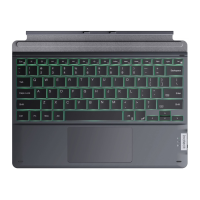
1. Product Overview
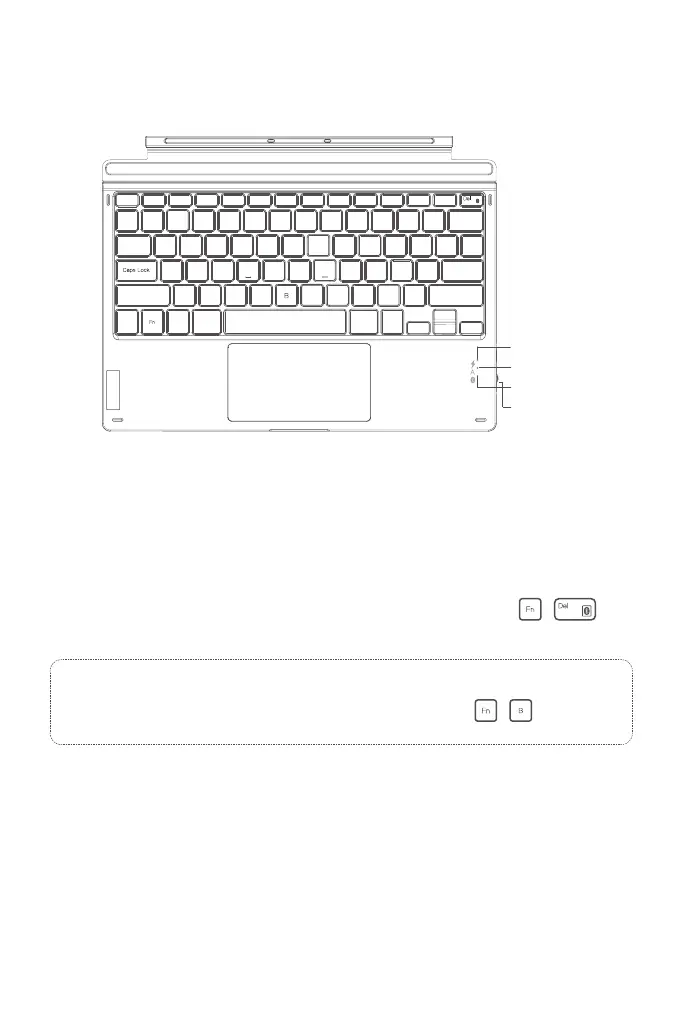
Indicator 1
Indicator 2
Indicator 3
2. Power ON/OFF KB02026
Power ON: Toggle the switch to ON.
Power OFF: Toggle the switch to OFF.
3. To pair KB02026 with a Surface Pro
Step 1: For the rst time you pair KB02026 with a Surface Pro whose operating system is Windows 10, you just
need to toggle the switch on the KB02026 to "ON" position and KB02026 will enter into Bluetooth pairing
mode automatically. To enter into the Bluetooth pairing mode, you can also press the +
simultaneously and hold for 3 seconds. It means that KB02026 is under pairing mode when the blue light
ashes.
Step 2: On the Surface Pro, select All Settings - Devices - Add Bluetooth or Other Device - Bluetooth. The Surface
Pro will display “Inateck KB02026” as an available device.
Step 3: Select "Inateck KB02026" on Surface Pro.
Step 4: When the blue light keeps on, it means that the KB02026 has been successfully paired with the Surface Pro.
4. Troubleshooting in Bluetooth Pairing
Step 1: Delete all the Bluetooth pairing records related to KB02026 on the Surface Pro.
Power Switch
Note:
For the rst time you pair KB02026 with a Surface Pro whose operating system is Windows 8.1, you need to
toggle the switch on KB02026 to "ON" position and then simultaneously press + , and hold for 3
seconds. It means that KB02026 is under pairing mode when the blue light ashes.


 To Next Page