2
How to Use
1. Connect the external power adapter from the hard drive dock to an
electrical outlet.
2. Connect the included USB 3.0 cable from the hard drive dock to an
available USB port on the computer system.
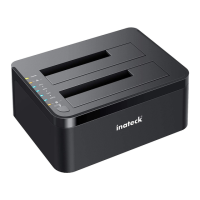
3. Insert a 2.5” or 3.5” hard drive into the top loading slot.
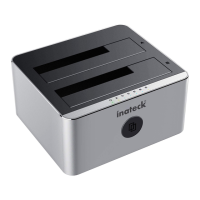
4. Press the power button. A pop-up bubble in the task bar at the bottom-
right of your screen notifying you once your hard drive has been
recognized. You may also nd the hard drive in Disk Management.
Note:
a. To remove the hard drive, make sure it is currently not being accessed
by the computer then unmount or uninstall the disk drive from the
operating system. Never remove the docking station while the hard
drive is in use. Doing so may corrupt the data on the hard drive or
damage the hard drive, docking station, or computer.
b. When connected via USB, the dock will automatically go into sleep
mode if the connection is left idle for more than 30 minutes. The power
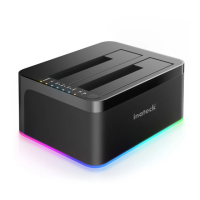
LED indicator will always be on and the colorful atmosphere light at
the bottom will enter the slow ashing state. Accessing the hard drive
will automatically cancel sleep mode and power the drive back up.
The hard drive LED indicator will ash, the power LED indicator will be
constantly on and the bottom colorful atmosphere light will enter the
fast ashing state.
c. Please do not remove your hard drive or insert a new one while
the other hard drive is being accessed, as doing so the other drive
temporarily disconnects and this could damage your hard drive and
result in data loss.
Hard Drive Oine Clone
1. Make sure there are no connection on the USB.
2. Insert the drives straight down until the connection is secured. Oine
clone is from HDD A to HDD B. Make sure your Main Drive is in HDD
A and slave in HDD B. The capacity of HDD B must be equal or bigger
than HDD A.
3. Press and hold the oine button for 3 seconds, the LED indicator that
marks 100% clone progress will light up. Quickly press the button
again, and oine clone starts. 4 LED lights indicate the clone progress.
One by one they will ash and be on. When the oine clone is 100%
completed, 4 LED lights will stay on.


 To Next Page