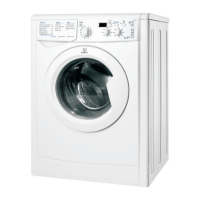
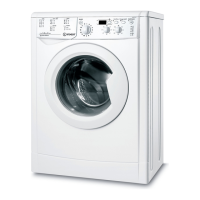
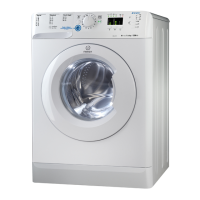
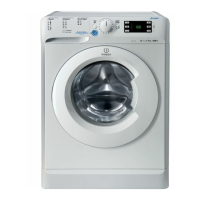
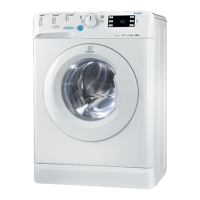
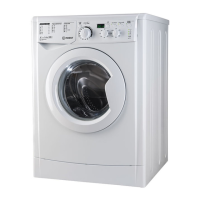
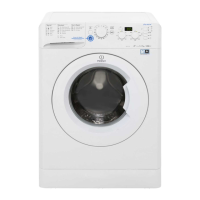
This document describes the Indesit IWDN 61251X9 washing machine, a household appliance designed for washing clothes. The manual provides instructions for installation, use, maintenance, and troubleshooting, available in English, Czech, Romanian, Hungarian, and Slovak.
Function Description
The Indesit IWDN 61251X9 is a front-loading washing machine with a control panel that includes a program selector, function buttons, and indicator lights to guide the user through the washing cycle. It offers various wash programs tailored for different fabric types and soil levels, including cotton, synthetics, wool, silk, and special programs like Sport and Express. The machine allows for personalization of wash settings such as temperature and spin speed.
The control panel features:
- ON/OFF button: To switch the washing machine on and off.
- DELAY TIMER button: To set a delayed start for the wash program.
- DISPLAY: Shows the duration of the various cycles and the remaining time.
- FUNCTION buttons with indicator lights: To select additional functions like extra rinse, easy iron, or intensive wash.
- START/PAUSE button with indicator light: To start or temporarily interrupt the wash cycle.
- TEMPERATURE knob: To set the wash temperature.
- SPIN SPEED knob: To set or exclude the spin cycle.
- DETERGENT DISPENSER DRAWER: For adding detergents and additives.
- DOOR LOCKED indicator light: Indicates when the door is locked.
- WASH CYCLE PROGRESS indicator lights: Show the current phase of the wash cycle (Wash, Rinse, Spin, Drain, End of wash cycle).
The machine is designed to handle different types of detergents and additives, including pre-wash detergent, wash detergent, bleach, and fabric softeners. It features a bleach cycle for stain removal and a load balancing system to ensure stable operation during the spin cycle.
Important Technical Specifications
- Model: IWDN 61251X9
- Dimensions:
- Width: 59.5 cm
- Height: 85 cm
- Depth: 53.5 cm
- Capacity: 1 to 6 kg of dry laundry.
- Electrical Connections: Refer to the technical data plate fixed to the machine for specific values.
- Water Connection:
- Maximum pressure: 1 MPa (10 bar)
- Minimum pressure: 0.05 MPa (0.5 bar)
- Drum capacity: 52 litres
- Spin Speed: Up to 1200 rotations per minute (rpm).
- Test Wash Cycles in accordance with directives 1061/2010 and 1015/2010:
- Program 3: Standard cotton 60°C.
- Program 4: Standard cotton 40°C.
- Noise Level (dB(A) re 1 pW):
- Energy Consumption (Off-mode): 0.5 W
- Energy Consumption (Left-on mode): 0.5 W
The machine complies with the following EC Directives: 2004/108/CE (Electromagnetic Compatibility), 2002/96/CE (WEEE), and 2006/95/CE (Low Voltage).
Usage Features
Installation:
The washing machine must be unpacked and levelled correctly to ensure stable operation and prevent vibrations. It requires connection to the electricity and water supplies, ensuring proper earthing and adequate water pressure. The drain hose must be connected to a drain pipe or a wall drain, positioned between 65 and 100 cm from the floor, or hooked over the edge of a sink or bathtub.
Starting a Wash Cycle:
- Switch on the machine using the ON/OFF button.
- Load laundry and close the door.
- Turn the WASH CYCLE knob to select the desired program.
- Set the wash temperature using the TEMPERATURE knob.
- Set the spin speed using the SPIN SPEED knob.
- Add detergents and additives to the dispenser drawer.
- Select any desired functions using the FUNCTION buttons.
- Press the START/PAUSE button to begin the wash cycle.
- At the end of the cycle, the END indicator light will illuminate, and the DOOR LOCKED indicator light will turn off, allowing the door to be opened.
Personalization:
- Setting the temperature: The TEMPERATURE knob allows adjustment of the wash temperature, which can be lowered or set to cold wash.
- Setting the spin speed: The SPIN SPEED knob allows adjustment of the maximum spin speed for the selected wash cycle or exclusion of the spin cycle.
- Functions: Additional functions like "Delay Timer" can be activated to postpone the start of the wash cycle. "Eco Time" optimizes water and energy consumption for lightly soiled cotton and synthetic fabrics. "Stain Removal" function is designed for tough stains.
Detergent and Laundry:
The detergent dispenser drawer has compartments for pre-wash detergent, wash detergent, bleach, and fabric softeners. Users are advised to use appropriate detergents for different fabric types and water temperatures. The manual provides guidelines for detergent quantities based on load size and water hardness.
Maintenance Features
Care and Maintenance:
- Cutting off water and electricity supplies: Turn off the water tap after every wash cycle and unplug the machine when cleaning it or performing maintenance.
- Cleaning the washing machine: The outer parts and rubber components can be cleaned with a soft cloth soaked in lukewarm soapy water. A self-cleaning program is recommended for the detergent dispenser drawer.
- Cleaning the detergent dispenser drawer: Remove the dispenser by raising and pulling it out, then wash it under running water. This operation should be repeated frequently.
- Caring for the door and drum: Always leave the porthole door ajar to prevent unpleasant odours from forming.
- Cleaning the pump: The washing machine is fitted with a self-cleaning pump that does not require any maintenance. Small items (such as coins or buttons) may fall into the pre-chamber which protects the pump, situated in its bottom part.
- Checking the water inlet hose: Check the inlet hose at least once a year for cracks. If there are any, it should be replaced immediately.
Troubleshooting:
The manual provides a comprehensive troubleshooting guide for common issues such as:
- Washing machine not switching on.
- Wash cycle not starting.
- Washing machine not taking in water.
- Washing machine continuously taking in and draining water.
- Washing machine not draining or spinning.
- Washing machine vibrating during the spin cycle.
- Washing machine leaks.
- "Function" indicator lights and the "start/pause" indicator light flashing, while one of the "phase in progress" indicator lights and the "door locked" indicator light remain lit.
- Too much foam.
For each problem, possible causes and solutions are provided. If the problem persists, users are advised to contact the Technical Assistance Centre.
Service:
Before calling for assistance, users should check if they can solve the problem using the troubleshooting guide. If not, they should restart the program to verify if the problem has been resolved. If the issue persists, contact the authorized Technical Assistance Centre, providing the type of problem, appliance model (Mod.), and serial number (S/N) found on the label on the rear and front of the machine (accessible when the door is open).

 Need help?
 General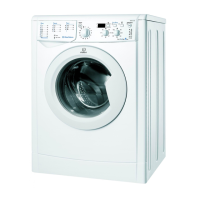

 To Next Page