9
Powering Up the Fixed IP Camera
The camera is a Power Over Ethernet (PoE) powered device
compliant with the IEEE802.3af standard. The 8000 camera
variants dissipate 7W maximum power, with the 9000 variants
dissipating 8W maximum.
There are four methods of powering up the camera:
• Using a Power over Ethernet (PoE) switch
• Using a PoE Injector
• Using a PoE Midspan
• Using Auxiliary Power (24v AC/DC)
These methods are detailed below.
Using a Power over Ethernet (PoE) switch
To power up the camera using a PoE-compliant switch, attach a
CAT5 cable between the camera and the PoE switch.
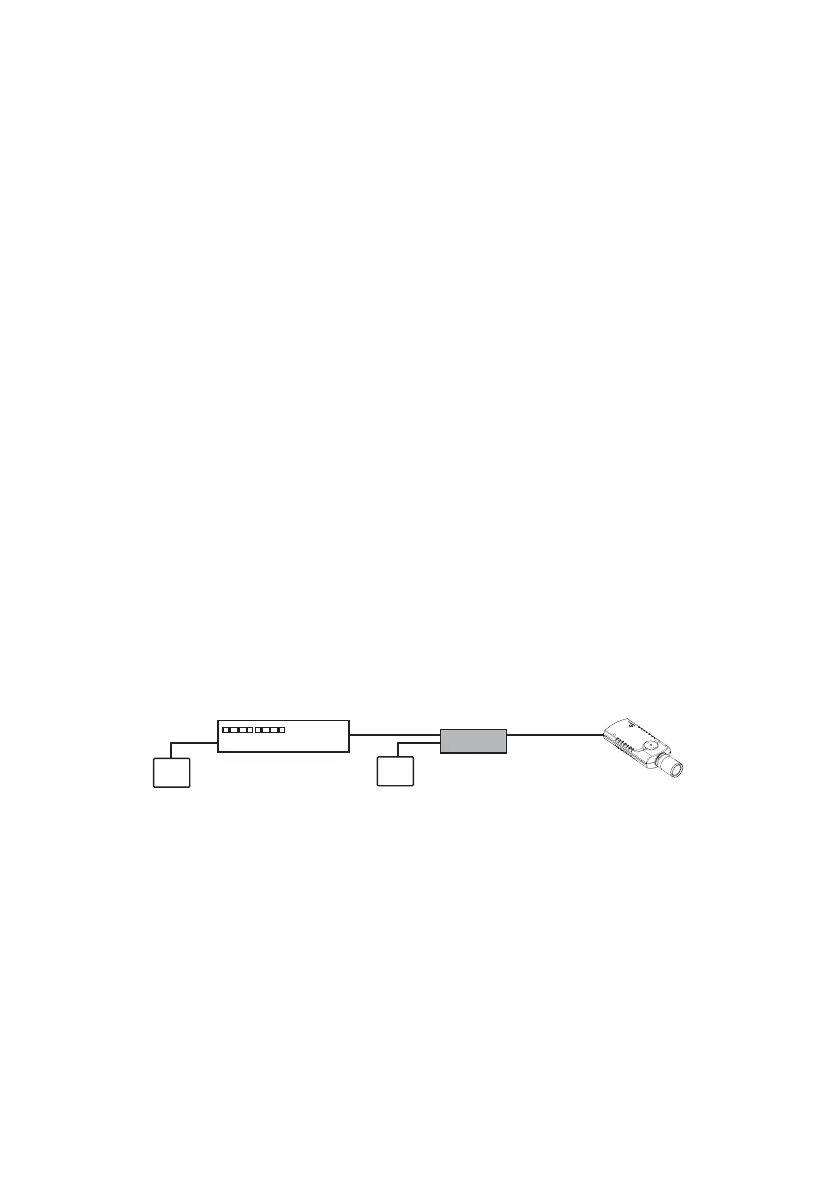
Using a PoE Injector
If a PoE switch is not available, the camera can be powered
using a PoE injector, such as Phihong PSA1GU-480.
Figure 1 Using a PoE Injector
Using a PoE Midspan
If a PoE switch is not available, the camera can be powered
using a PoE Midspan.
Fixed IP Camera
Cat5 cable Cat5 cable
Network switch
PoE Injector
Mains PowerMains Power


 To Next Page