Version 7.0.9 - 21
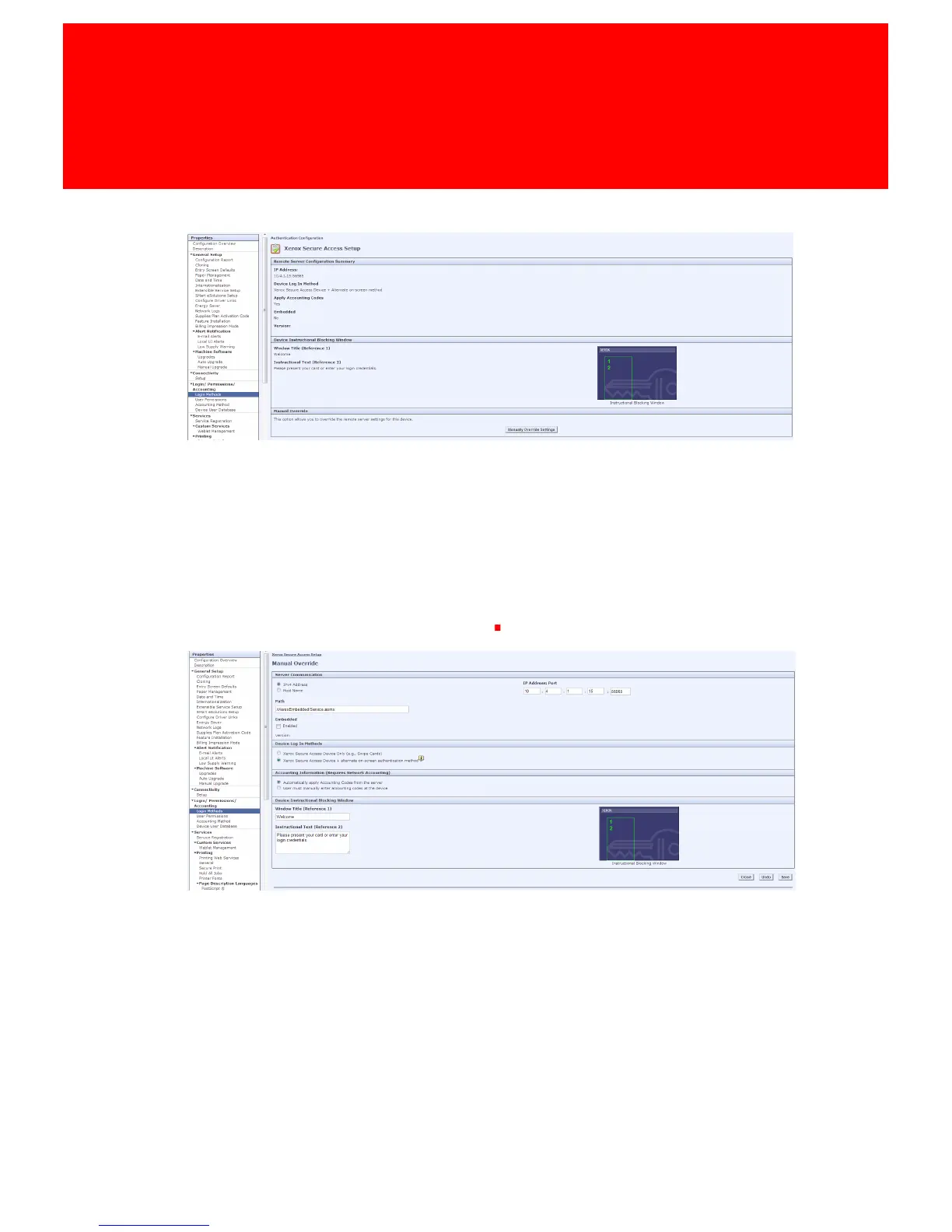
When enabled click Xerox Secure Access Setup and in the next screen click Manually
Override Settings.
Make sure:
• The Path is /iXeroxEmbedded/Service.asmx
- The IP of the server where the embedded is installed is correct and the port is 10056.
• At Device Log In Methods Xerox Secure Access Device + alternate on-screen authentication
method is selected.
- This will enable the user to login manually at the device's touch panel.
• At Accounting Information (Requires Network Accounting) Automatically apply
Accounting Codes from the server is selected



 To Next Page