Need help?
Do you have a question about the Infant Optics DXR-8 and is the answer not in the manual?
Instructions on how to connect and power the camera unit.
Steps for securely mounting the camera unit to a wall.
Guide on inserting the rechargeable battery into the monitor unit.
Instructions for charging and powering the monitor unit for optimal use.
Procedure for pairing the camera unit with the monitor unit.
Guidance on placing and positioning the camera unit for optimal monitoring.
How to remotely control the camera's pan and tilt movement.
Detailed instructions on how to pair a new camera unit with the monitor.
 General
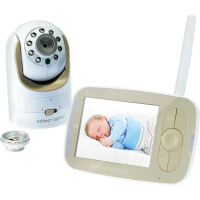
| Display Size | 3.5 inches |
|---|---|
| Interchangeable Lens | Yes |
| Two-way Talk | Yes |
| Night Vision | Yes |
| Wireless Technology | 2.4GHz FHSS |
| Expandable Cameras | Up to 4 cameras |
| Temperature Sensor | Yes |
| Sound Activation | Yes |
| Power Source | Rechargeable Battery (Parent Unit), AC Adapter (Camera) |
| Camera Pan/Tilt/Zoom | Pan/Tilt/Zoom |
| Battery Life | Up to 10 hours |
| Range | Up to 700 ft open area |
| Type | Digital video baby monitor |

 To Next Page