17
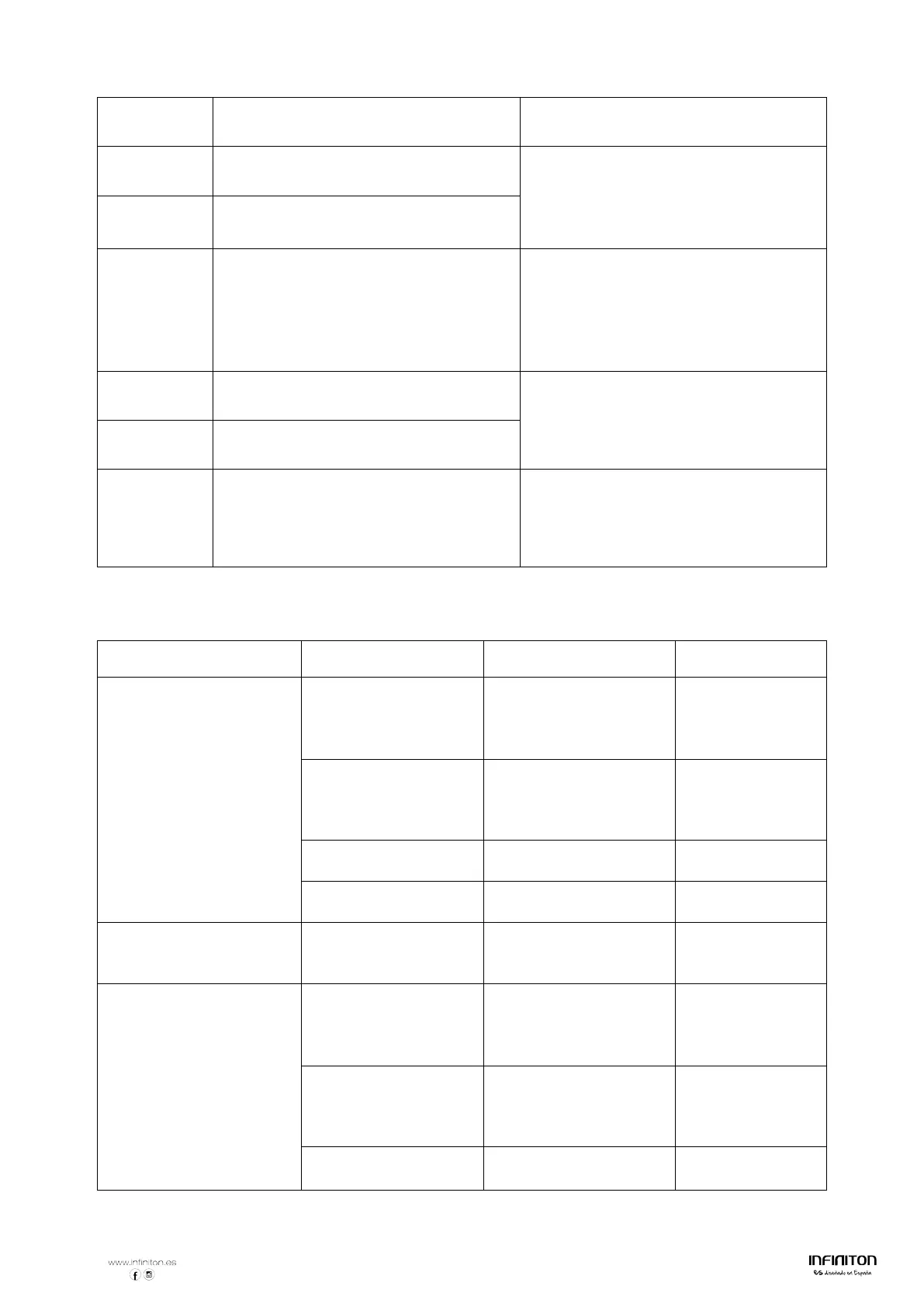
Touch “ON/OFF” button to restart unit.
E4
Temperature sensor of the IGBT failure
--open circuit.
Replace the power board.
E5
Temperature sensor of the IGBT failure
--short circuit
E6 High temperature of IGBT.
Wait for the temperature of IGBT return
to normal.
Touch “ON/OFF” button to restart unit.
Check whether the fan runs smoothly;
if not , replace the fan.
E7
Supply voltage is below the rated
voltage.
Please inspect whether power supply is
normal.
Power on after the power supply is
normal.
E8
Supply voltage is above the rated
voltage.
U1 Communication error.
Reinsert the connection between the
display board and the power board.
Replace the power board or the display
board.
4) Specific Failure & Solution
Failure Problem Solution A Solution B
The LED does not
come on when unit is
plugged in.
No power supplied. Check to see if plug is
secured tightly in outlet
and that outlet is
The accessorial power
board and the display
board connected
Check the connection.
The accessorial power
Replace the accessorial
The display board is
Replace the display
Some buttons can’t work,
or the LED display is not
The display board is
damaged.
Replace the display
board.
The Cooking Mode
Indicator comes on, but
heating does not start.
High temperature of
the hob.
Ambient temperature
may be too high. Air
Intake or Air Vent may
There is something
wrong with the fan.
Check whether the fan
runs
smoothly;
if not , replace the fan.
The power board is
damaged.
Replace the power
board.



 To Next Page