257
Calibrate Touchscreen(s)
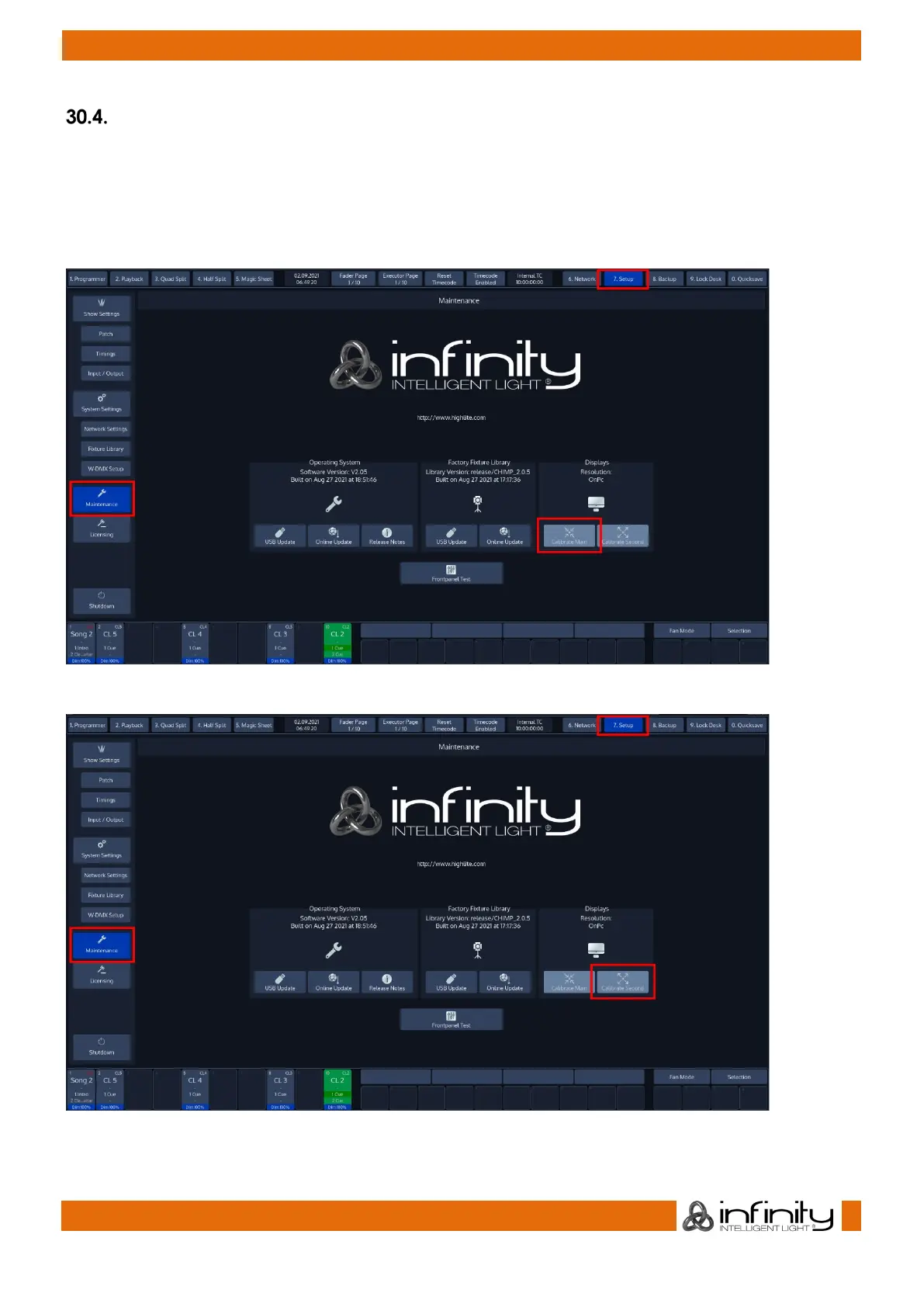
In Setup menu click on Maintenance from the Side Menu.
Click on Calibrate Internal or Calibrate External.
In case your screen calibration is off by too much, you may use the shortcut [Infinity] + [Open] +
[S1] to calibrate the internal screen, or [Infinity] + [Open] + [S2] to calibrate the external.
Fig. 230: Setup Screen - Calibrate Internal Touchscreen
Fig. 231: Setup Screen - Calibrate External Touchscreen



 To Next Page