Innity:One Manual 21
3.2 How to insert/remove the Micro SD card
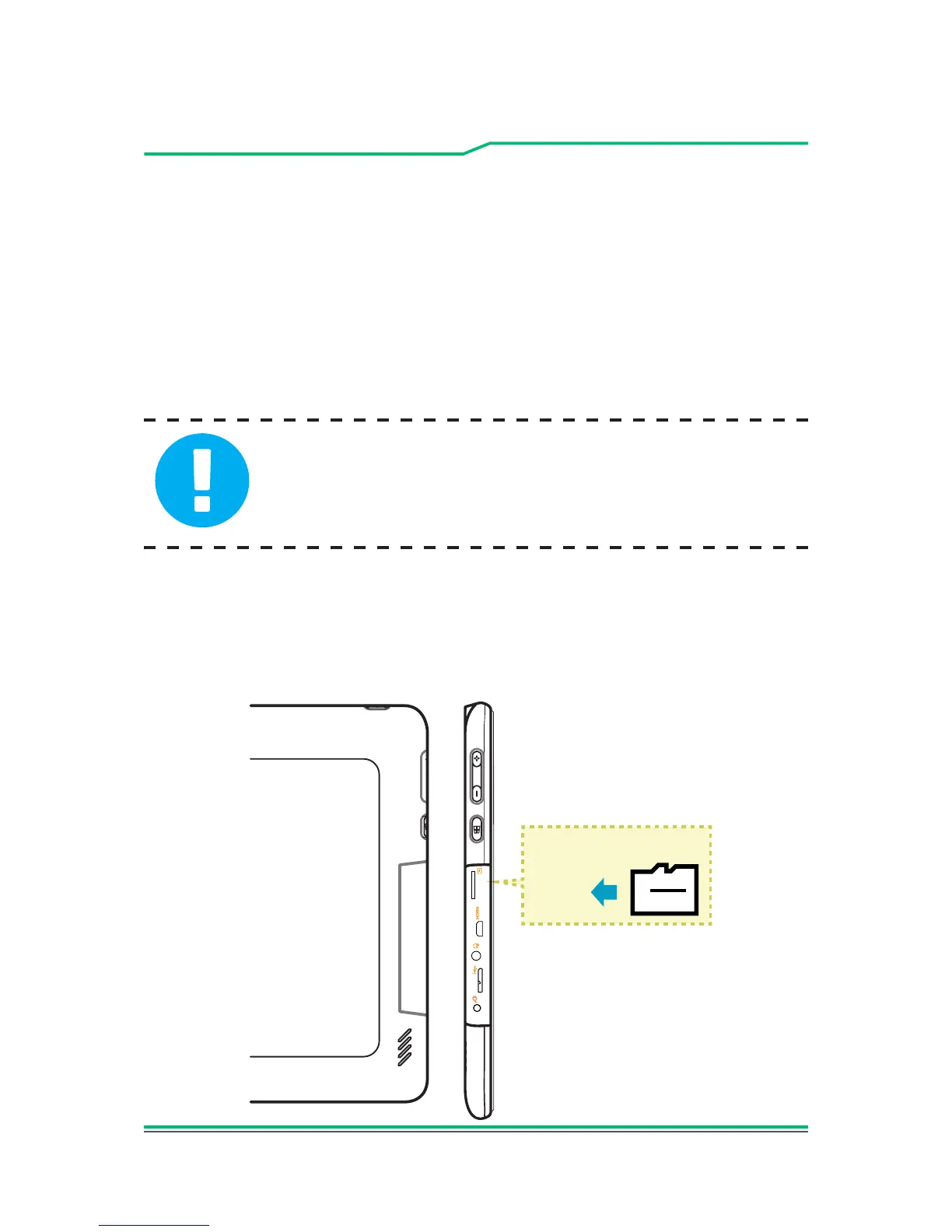
Inserting the micro SD card:
1. Insert the Micro SD card into the Micro SD card slot, pushing
gently until it clicks into place.
2. Wait for Innity:One to recognise the Micro SD card.
CAUTION: To prevent damage to information stored on
the memory card, unmount the card before removing it
from the device.
Removing the Micro SD card:
1. Push the Micro SD card in to eject it from its slot.
2. Slide the Micro SD card out from its slot.
Insert the card towards the
direction indicated
Micro SD Card



 To Next Page